You may be looking for a product in your event and you can't see it. Chances are you created it after the event was created. Boomer will not automatically take a new product and push it out to all events, because that might not be what you want to do.
To associate a product to an event:
- Open the Event.
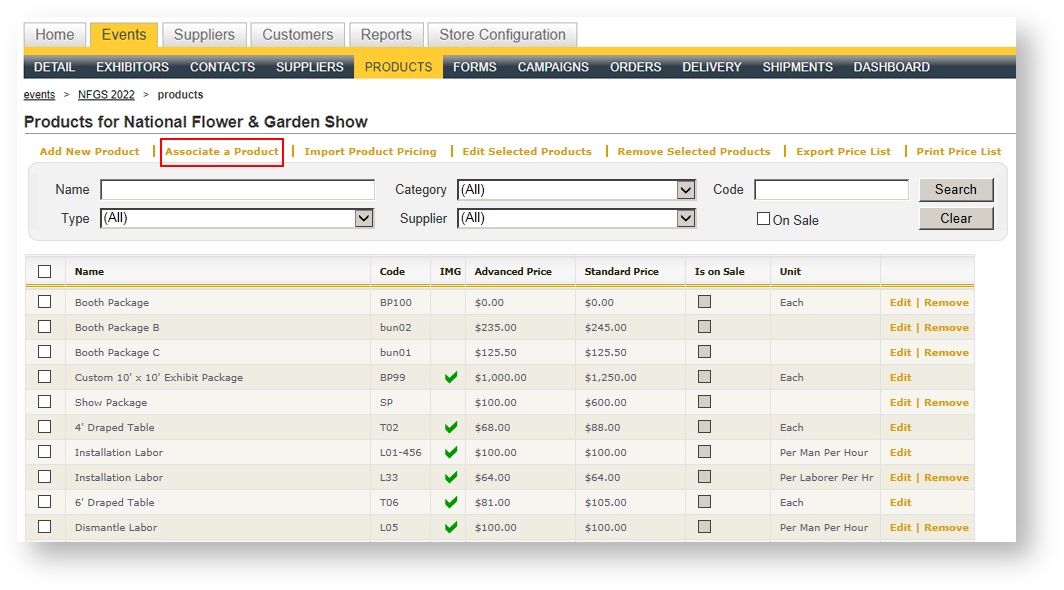
- Click on Products in the dark blue menu bar.
- Click "Associate a Product" above the grid:
- A Picklist appears. Search or an find the product you want to associate:
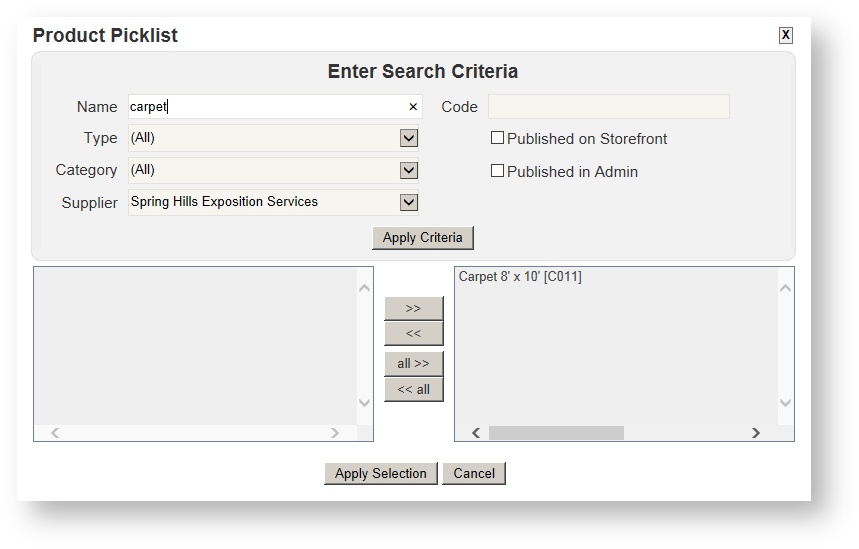
After moving the product(s) to the right hand side of the Picklist and clicking Apply Selection, your product will become part of your event.