To create a Show Site/Direct Warehouse shipment:
- Navigate to the Shipments sub menu option within an event.
- Click "Add Direct".
The header fields are defined as follows:
| Field Name | Explanation |
|---|---|
| Product | For most users, there will be only one product available in the Product drop down, which automatically defaults in. |
| Exhibitor | Type the first few characters of the exhibitor's name or click the ellipsis button (the button with three dots) to select one from the Boomer picklist. |
| Order Contact | If the exhibitor has a main contact designed, that person defaults in and will become the order contact when an order is created from this shipment. |
| Booth | The Exhibitor's booth number, if known, defaults in but may be changed here. |
| Carrier | Choose from the list of existing carriers or begin typing a new one to create one "on the fly". If you add a new one, you will be prompted to confirm you want to add the carrier as an available selection permanently. |
| Is Outbound Shipment | Check this box if this shipment is outbound. |
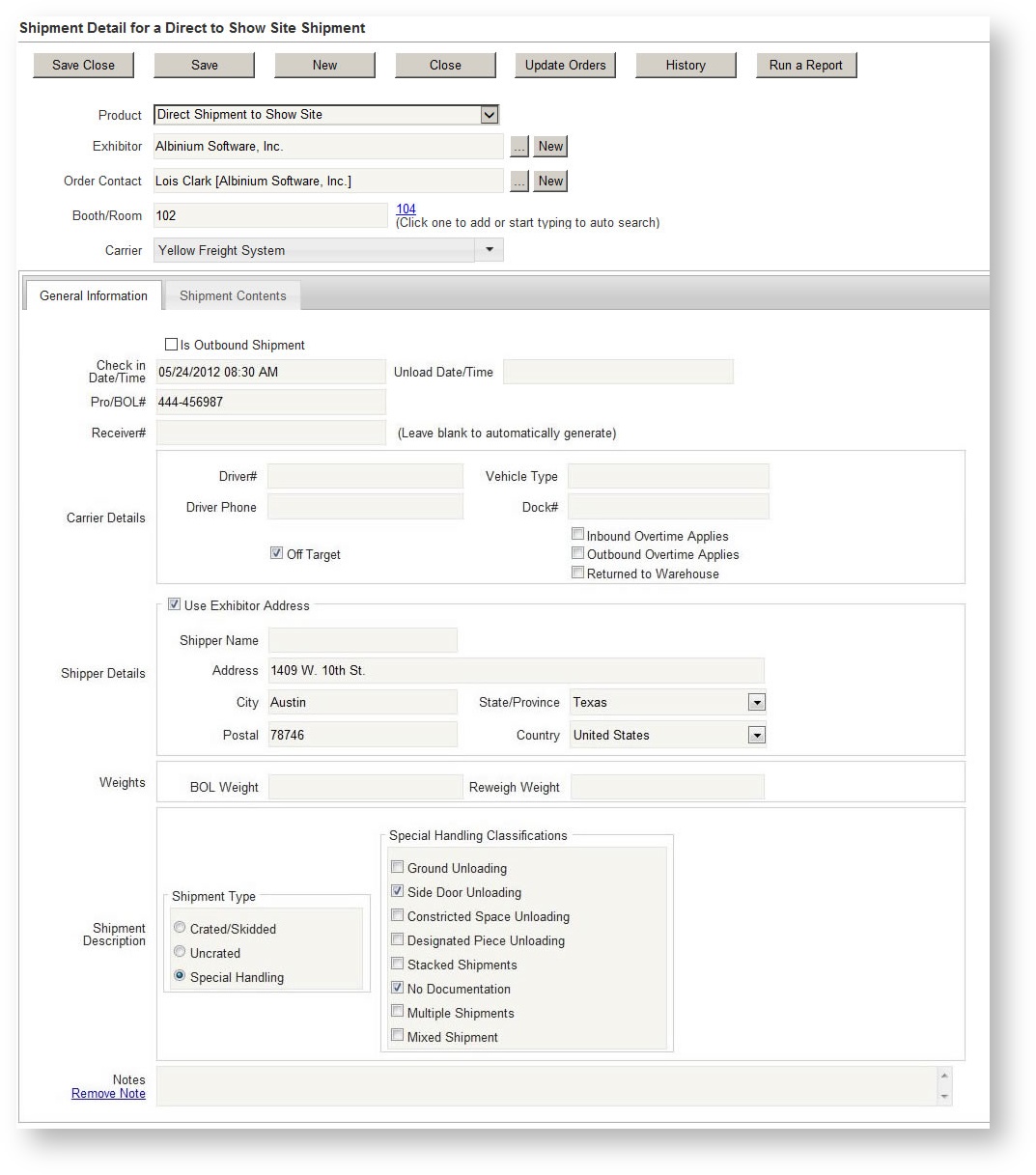
If desired, click on the Shipping Contents tab to indicate the details of the shipment. These are not required.