When you open an existing order, the Order Summary page opens. The Order Summary contains an order summary header containing all the critical details about the order and then categories all products ordered by revenue types with subtotals:
Tip
If you want to quickly go to the exhibitor or contact to which this order belongs, click the blue underlined text in the Order Summary header.
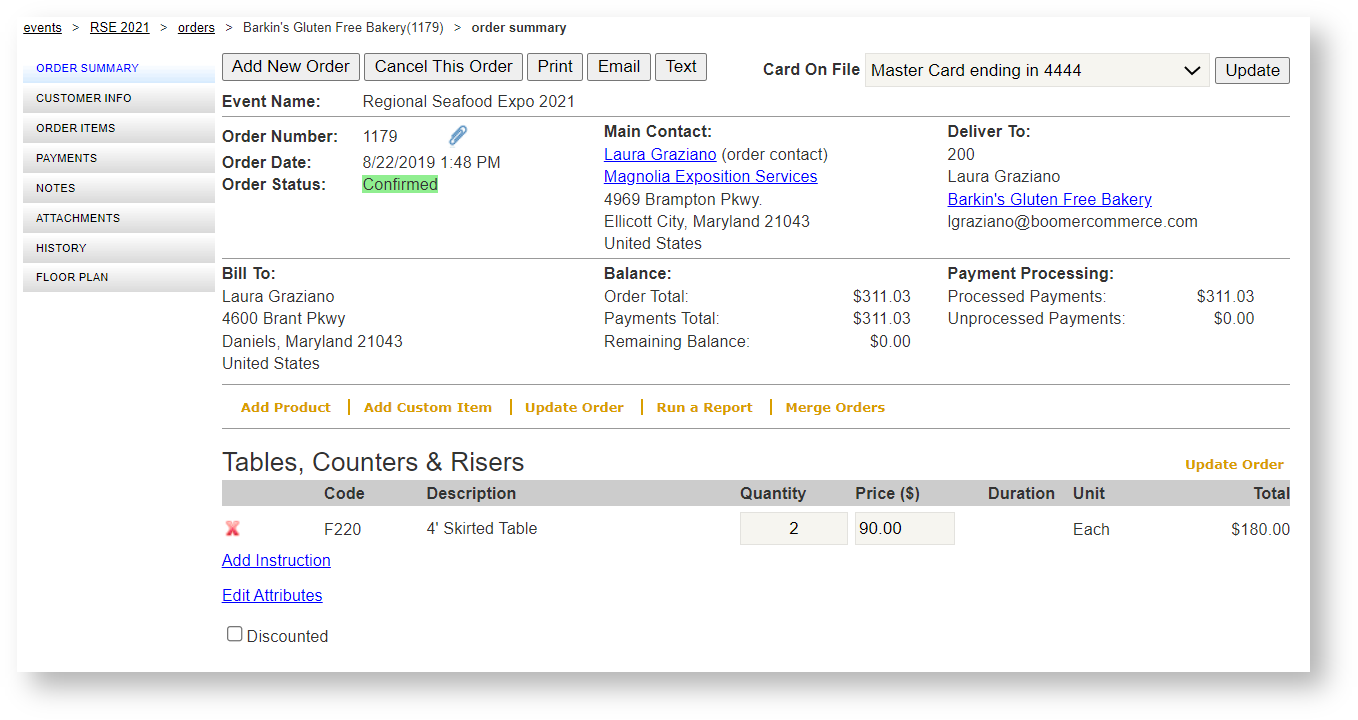
From this form you can edit existing products, add new products or add a custom item by clicking the respective buttons. You can also adjust prices and quantities.
If you make changes that impact the order's balance, don't forget to process payments or refunds after making changes by going to Payments. Make all the changes first and then process the payment once.