The merge orders command consolidates duplicate orders for a contact within an event. Its main purpose is to allow you to combine an order which may have a credit against an order which has a balance due. In order to have the ability to merge an order, the orders must be for the same exhibitor, order contact and booth/location within the same event.
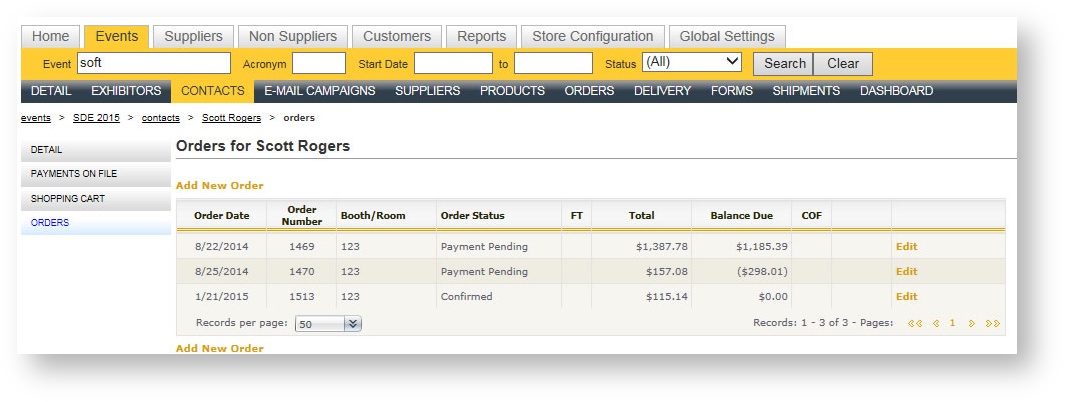
When orders are merged, the order in which you are in at the time of the merge is deemed the "winning" order. The order(s) selected in the picklist are the "losing" orders. The image below illustrates a classic example of when you might want to merge a customer's orders together:
To merge one or more orders:
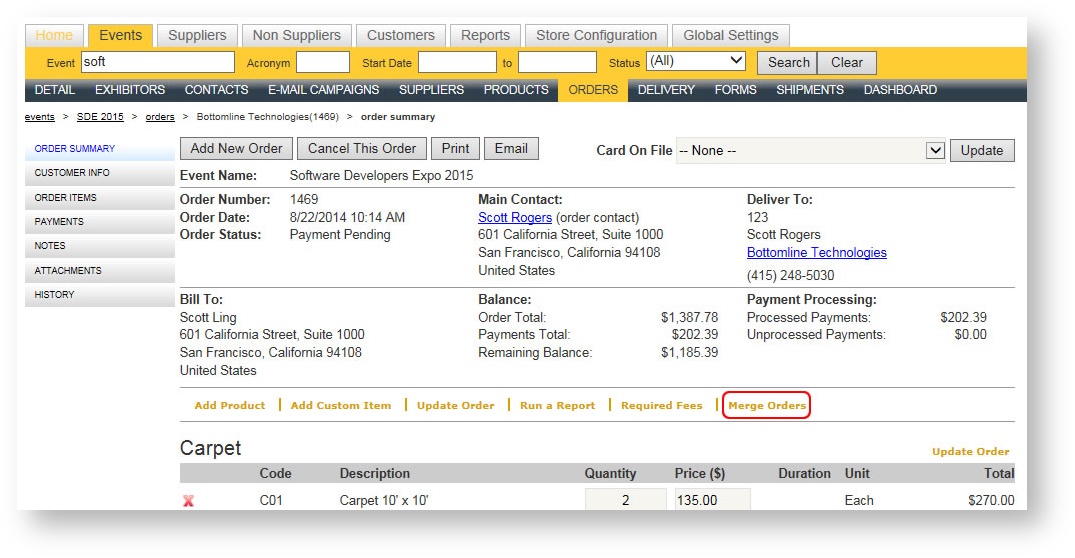
- Open the order you want to remain. From the Order Summary, click "Merge Orders":
- A Picklist appears with the potential orders that may be merged:
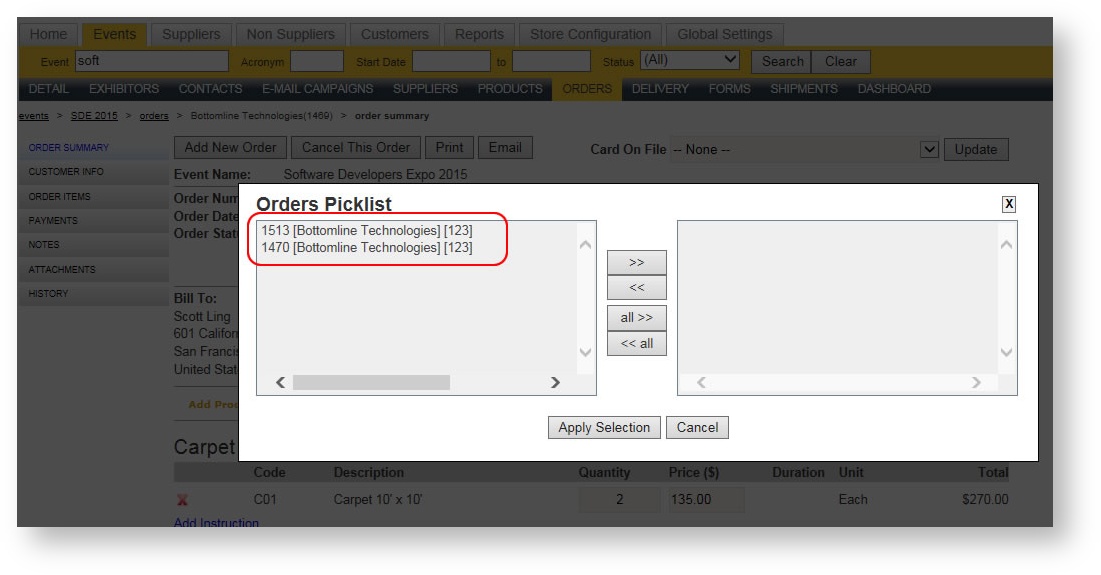
- Double click to move the order(s) over to the right hand side of the picklist or use the >> button.
- Hit Apply Selection. The orders are merged and the winning order is the remaining order.
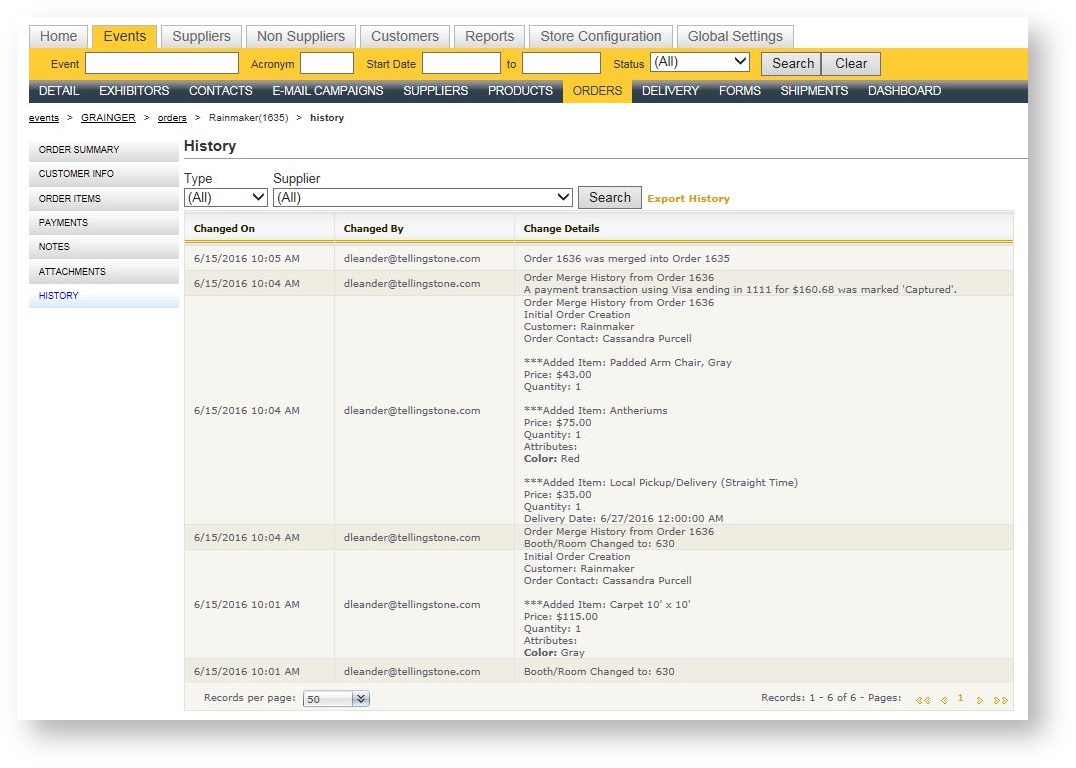
The winning order's History area will contain entries that represent the contents of the losing order's history area: