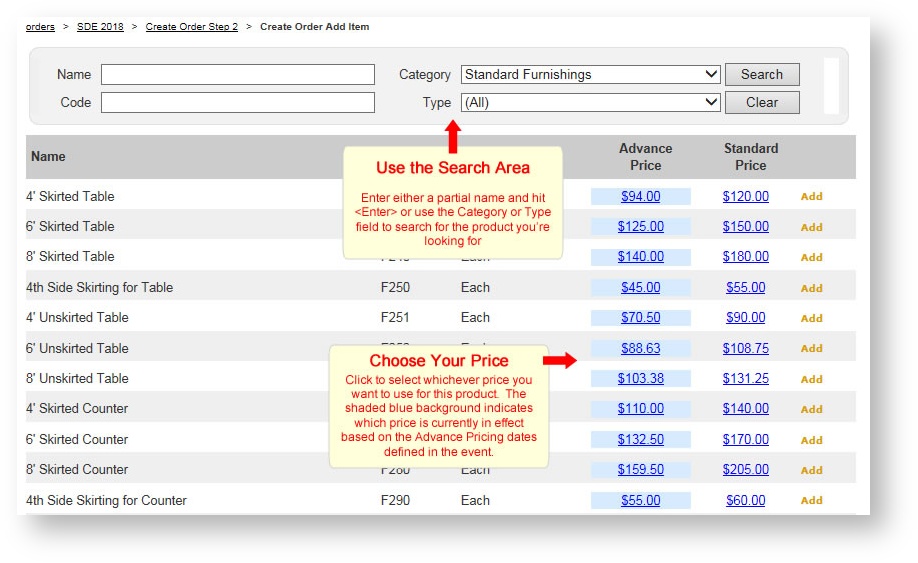
Click "Add Product". A search screen appears listing all the products that have been made available in this event. Use the Search area to filter down products you want, and click on the price to choose your price:
The Product's detail page appears allowing you to adjust the quantity and/or provide any values for product attributes:
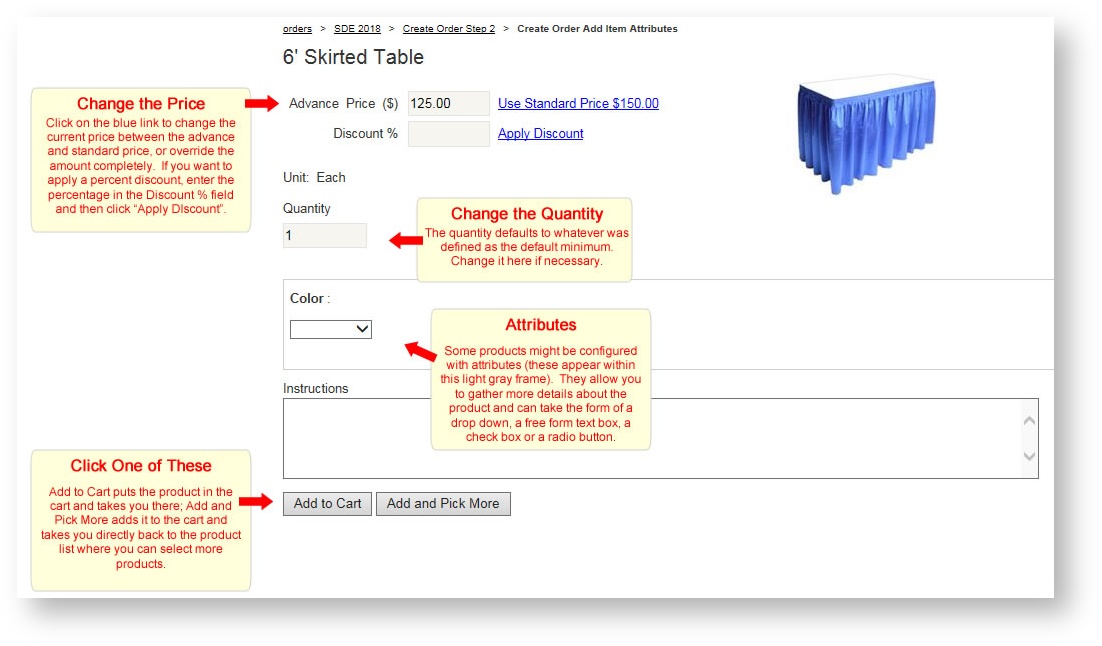
Click "Add to Cart" if you are done shopping and want to see all items in the shopping cart. Click "Add and Pick More" as a quick way to select additional products and skip viewing the shopping cart.
The "Add Product" button is not visible in a cancelled order.