You can extend discounts to customers on individual products within an order:
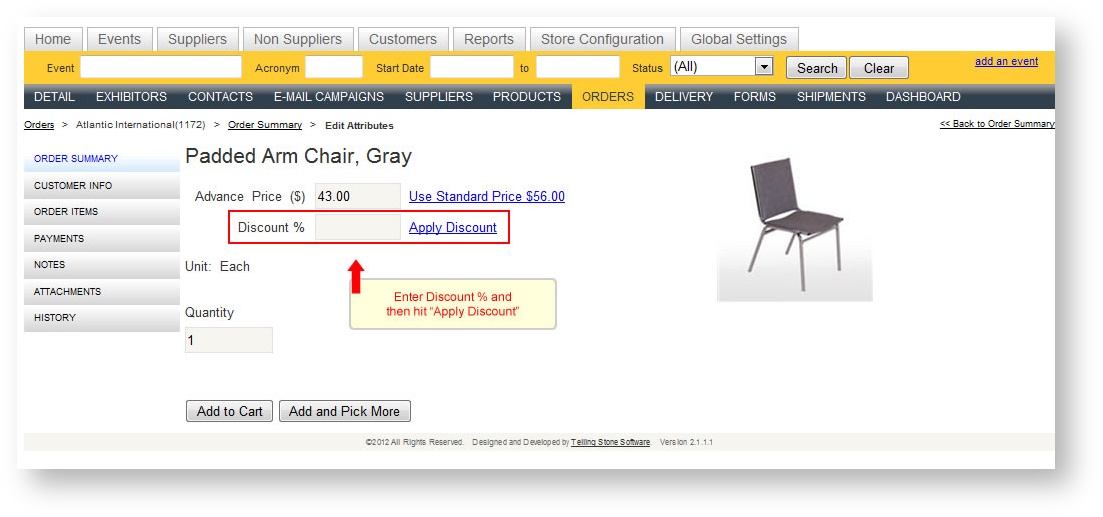
In the process of adding the item to the cart, enter the Discount % into the Discount % field. Click "Apply Discount". The price displayed changes to the discounted price.
The item now shows the discount in the cart:
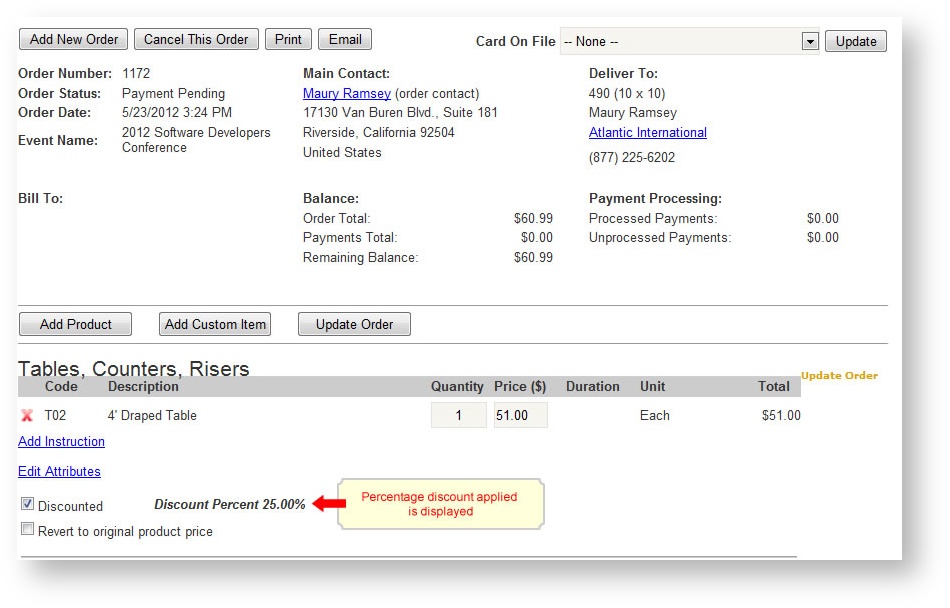
If you want to revert to the original price applicable to the product, click "Revert to original product price". If you don't want the discount to appear as a discount on an invoice even though you are making a price adjustment, uncheck "Discounted".