A work order is simply a regular Boomer order created under the customer you added above with some slight adjustments:
- Check "Has Dates and Times" to expose a Install Start/End times as well as Dismantle Start/End times. These labels may be changed in your system if you refer to these dates differently then Boomer's default names. Email Support to have the names changes.
- Free form type a location (for example: Registration Area, Lobby or Coat Check) instead of entering a booth number.
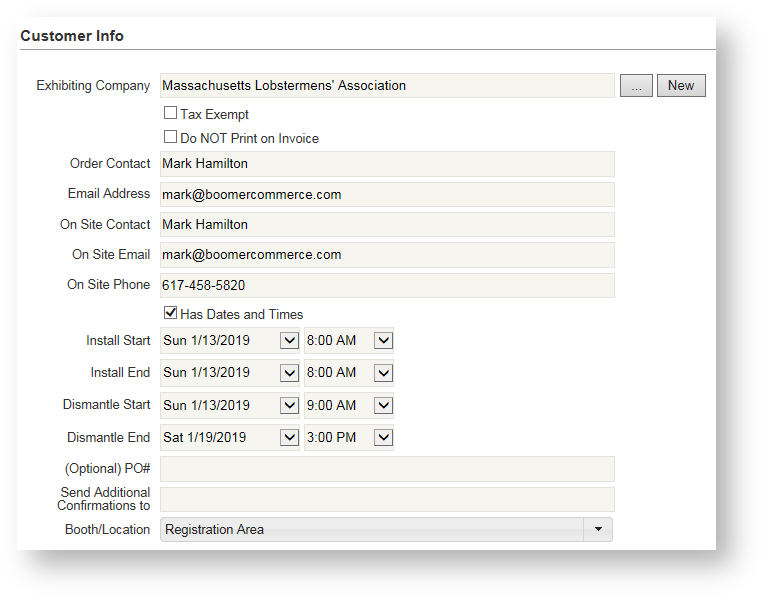
- When you add products to the order, those products will come in at the price you've adjusted in the event for the Show Organizer price tier. You can also make discount adjustments "on the fly" by following these instructions: Extending Discounts.
- You may find you add order notes and attachments more frequently for show management work orders compared to standard exhibitor orders. For instructions on how to add these, see Order Notes and Attachments.