Departments and revenue types are at the heart of internal revenue calculations and reporting. They are not used on the storefront itself, but their association to a product defines how that item will be taxed and how it will be used within reporting.
Departments are the broader, more general level buckets. They generally will parallel the major department names. Revenue types will frequently parallel general ledger accounts and are the buckets used for interfaces, tax and gratuity calculations.
Departments
Think carefully about the departments as they will drive all the high level categories of reporting. Telling Stone customer support can provide some guidance in terms of what are appropriate departments given what types of products someone sells. Access departments within Global Settings:
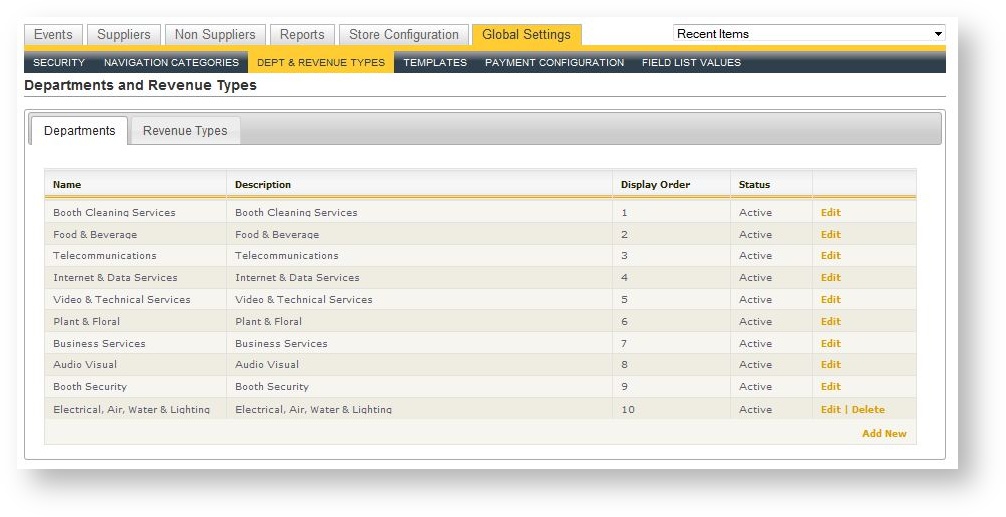
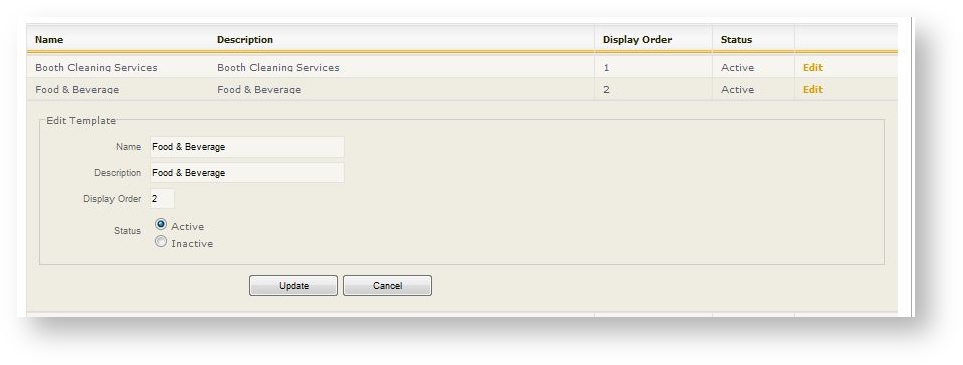
Each department is defined by the following information:
| Field Name | Description |
|---|---|
| Name |
Formal name of the department as it will appear in reports and throughout Boomer Admin. |
| Description |
Optional description that describes more information about the department. |
| Display Order |
Order in which the department will appear within reporting and wherever all departments are displayed. |
| Status |
Active/Inactive (if a department is connected to a revenue type that is in use, it may not be deleted. Use the Status to make it inactive instead. |
Revenue Types
Revenue types are the detailed buckets that will drive most revenue reporting. Revenue types are connected to Departments. There will most likely be several revenue types defined and connected to each department. The following is a sample of revenue types (departments are shown in bold at the higher level; revenue types in italics):
Telecommunications
Telephones
Special Services
Business Services
Computers
Flat Screens
Copier Fax and Printer Rentals
Internet and Data Services
Internet
Rental
Food and Beverage
Alcoholic Beverages
Food
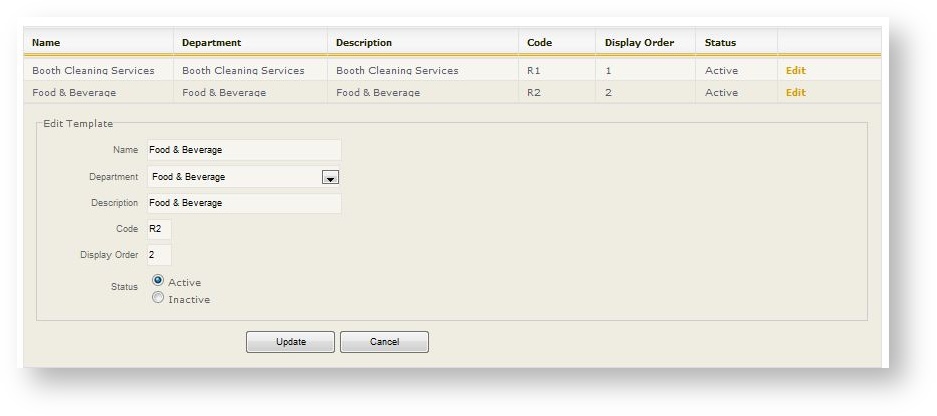
Revenue types appear in a grid on the second tab:
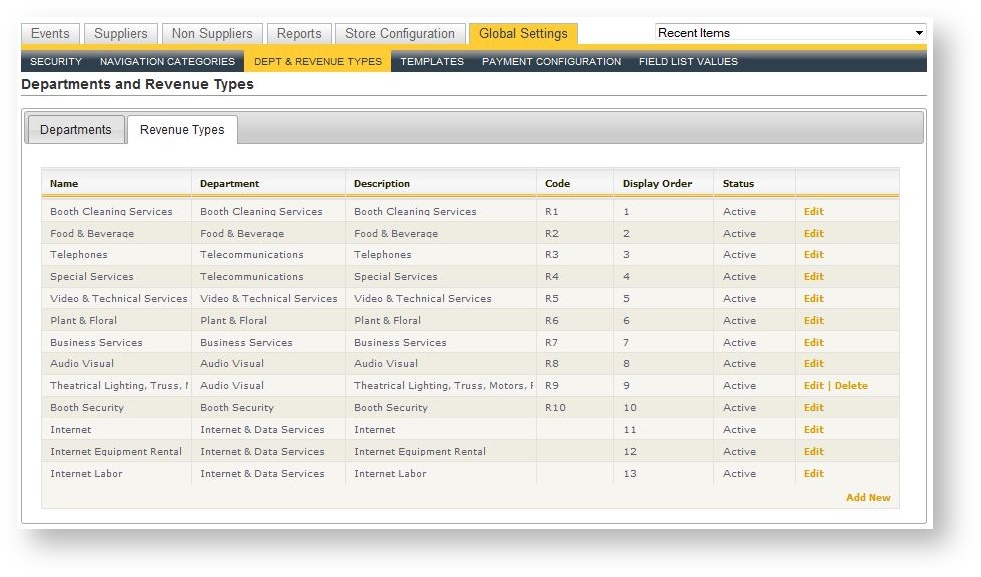
The fields in a revenue type record are as follows:
| Field Name | Description |
|---|---|
| Name | Name of the Revenue Type |
| Department |
Choose the department to which this revenue type belongs. |
| Description | Optional description that describes more information about the department. |
| Code |
Abbreviation or interface code to be used for this revenue type. |
| Display Order |
Order in which the revenue type will appear in reports and wherever else used. |
| Status |
Active/Inactive. If a revenue type is associated to a product, it may not be deleted. Use the Status flag to make it Inactive instead. |