An email template can optionally include mergeable content that will be sent as a PDF attachment. This can be useful if you have content that you don't want your customer to be able to edit when he/she receives the email. Note that we are not talking about an existing PDF you have; this is a PDF that will be generated by Boomer and attached to the email by taking the HTML you place in the PDF Content tab and converting it to PDF.
To add PDF content to your template, click the "Allow PDF Content":
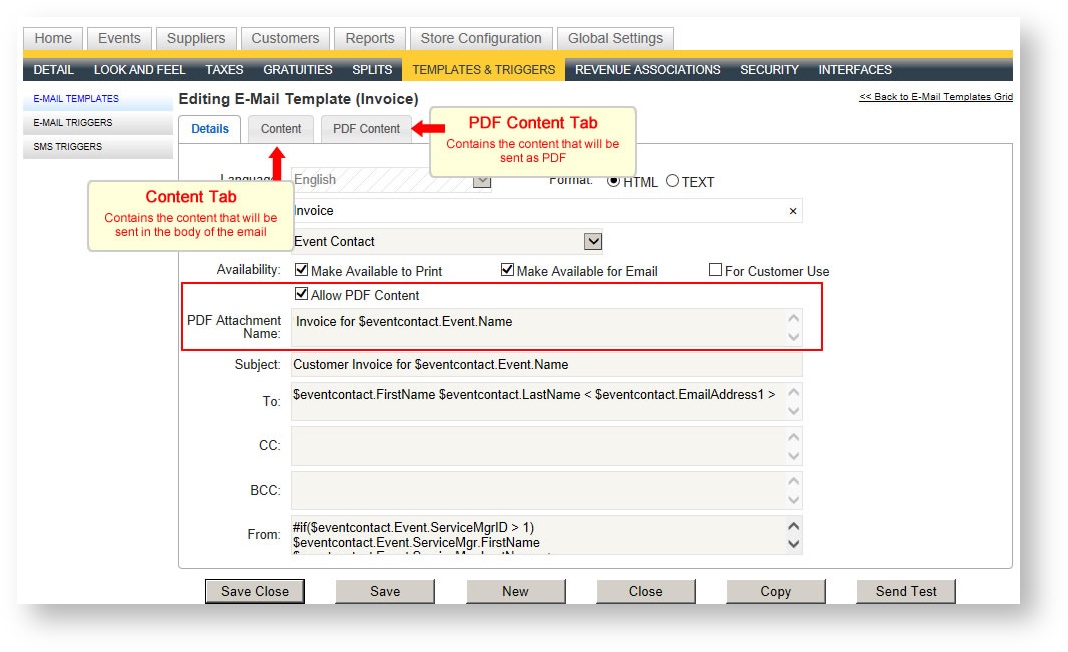
To take an existing template and make the content PDF:
- Check the "Allow PDF Content" check box. A PDF Attachment Name field appears. This will be the name of the PDF attachment. You can put a standard generic word such as "Invoice" or you can also include Boomer tags ($eventcontact.Event.Name will include the event's name, for instance).
A PDF Attachment Name of Invoice for $eventcontact.Event.Name will result in the following when the customer receives it, assuming your event's name was HITEC 2015: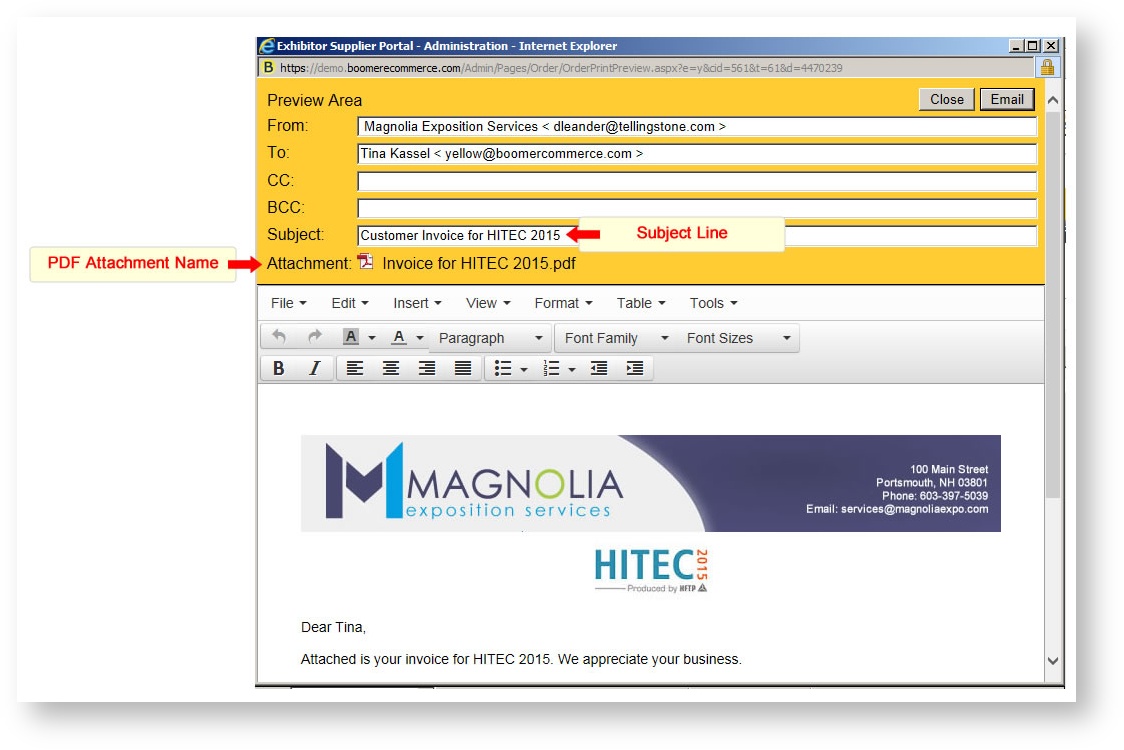
- To determine your PDF content, copy and paste the content from the regular Content tab over to the PDF Content tab by clicking on the Content tab.
- Click <Ctrl> A to select all the content.
- Click <Ctrl> X to cut the content.
- Click on the PDF Content tab.
- Click inside the editor and click <Ctrl> V to paste the content.
- Finally, you'll want to put some kind of email body text back into the email Content tab. We recommend copying and pasting content from one of your other basic template that already has the tagging language to pull data from Boomer. Here is some basic HTML code to use as a starting point so that the email is formatted in a polished way:
<html>
<body style="width:100%">
<div style="border:none; width:700px; margin-left: auto; margin-right:auto">
<p style="font: normal 14px Arial, Helvetica, sans-serif; border:none;">
FILL IN YOUR TEXT HERE
</p>
<p style="font: normal 14px Arial, Helvetica, sans-serif; border:none;">
${eventcontact.Event.Store.Name}<br>
${eventcontact.Event.Store.Telephone}
</p>
</div>
</body>
</html>
If you need assistance in converting a template to take advantage of the PDF Content, contact support at support@boomercommerce.com.