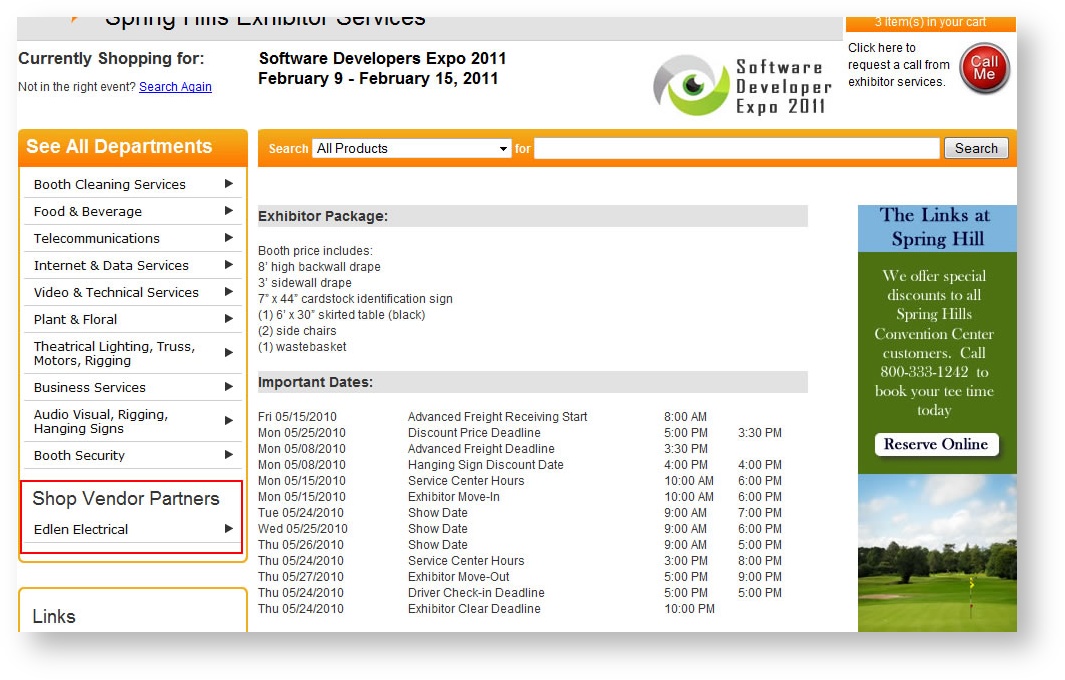
The Interfaces option within Store Configuration is the place to configure interfaces and storefront vendor links. Telling Stone will normally work with you to configure interfaces to other systems where data will be passed, preparing a vendor to have a link from a storefront web site may be something you'll do on your own. The link will appear under the main navigation menu and will be called "Shop Vendor Partners". The following illustrates an example of a vendor link on the Storefront:
To access Interfaces, select "Store Configuration" from the main menu option and choose the Interfaces sub menu.
To add an interface (vendor link), click New from the Interfaces grid. The following appears:
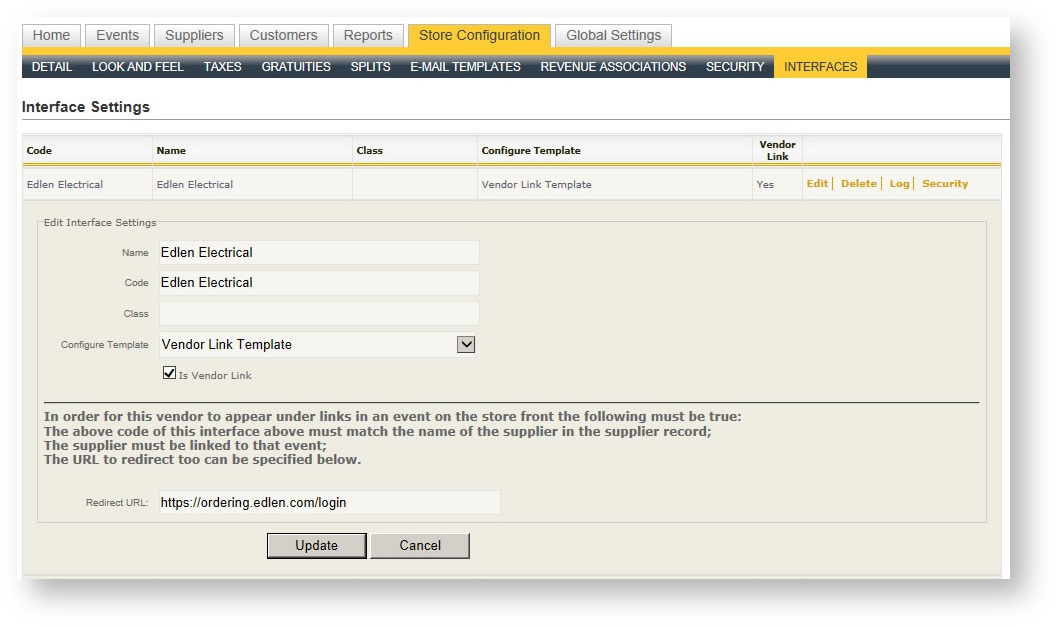
The field definitions of an interface to set up a vendor link is as follows:
| Field Name | Description |
|---|---|
| Name | Name of the supplier link. |
| Code |
Name of the supplier in the supplier record (this must match exactly). |
| Class |
Leave blank. |
|
Configure Template |
Choose "Vendor Link Template". |
|
Is Vendor Link |
Check this to indicate it is a vendor link.
|
Configuring a vendor in this area is the first step of making it appear on the storefront. The second step is to link the supplier to the event itself. For more information on how to do this, see Suppliers and Products in an Event