Understanding Material Handling Schedules
Material handling schedules are established at the supplier level. These schedules represent your standard prices for your various types of shipments including advance warehouse shipments, show site shipments, small packages and cartload services. Set up material handling schedules and products under the same supplier. If necessary, material handling fee schedules may be changed at the event level. You should only need one material handling supplier unless minimum weights or weight ranges vary.
The Material Handling Schedules for a supplier can be accessed from the individual supplier's sub menu:
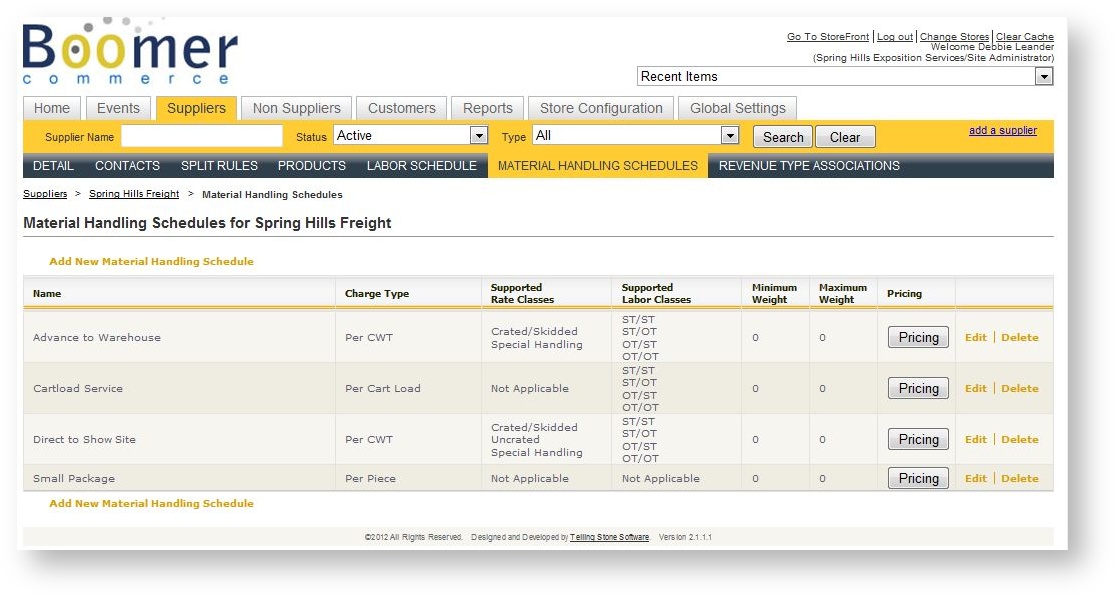
To adjust the default pricing for a Material Handling Schedule, click the "Pricing" button in that schedule's row.
Understanding Freight Products
Once material handling schedules are created, they may be connected to real Boomer products at the supplier level. These products should be added under the same supplier under which you set up the material handling schedules. Creating these real products and connecting them to the material handling schedules will allow the shipments to be applied as items in an order. When you actually receive the shipments and the freight products are added to the order, freight estimates supplied by the exhibitor will be removed if they represent the same type of freight.
Do not confuse the estimated products your exhibitor might choose on the storefront with the placeholder products that will be connected to the material handling schedules. The estimated products will most likely have unit prices and are simply estimates of the material handling the customer intends on shipping. Once you enter actual shipments and connect them up to orders, the estimated products will be removed from the order.
Connecting Products to Material Handling Schedules
Once the material handling products are set up and you have created material handling products, it's time to connect them together. This is done by opening up the material handling product in detail and setting the following fields:
| Field Name | Explanation |
|---|---|
| Display Template | Set to "Product - Freight Detail". |
| Customer Template | Set to "Product - Half Page". |
| Is Freight | Should be Checked. |
| Type | Advance, Direct, Small Package, or Cartload. |
| Material Handling Schedule | Which of your schedules created under the supplier that this product should use to determine its price in the order. |