You must be signed in with Multi-Factor Authentication to make any adjustments to Admin users.
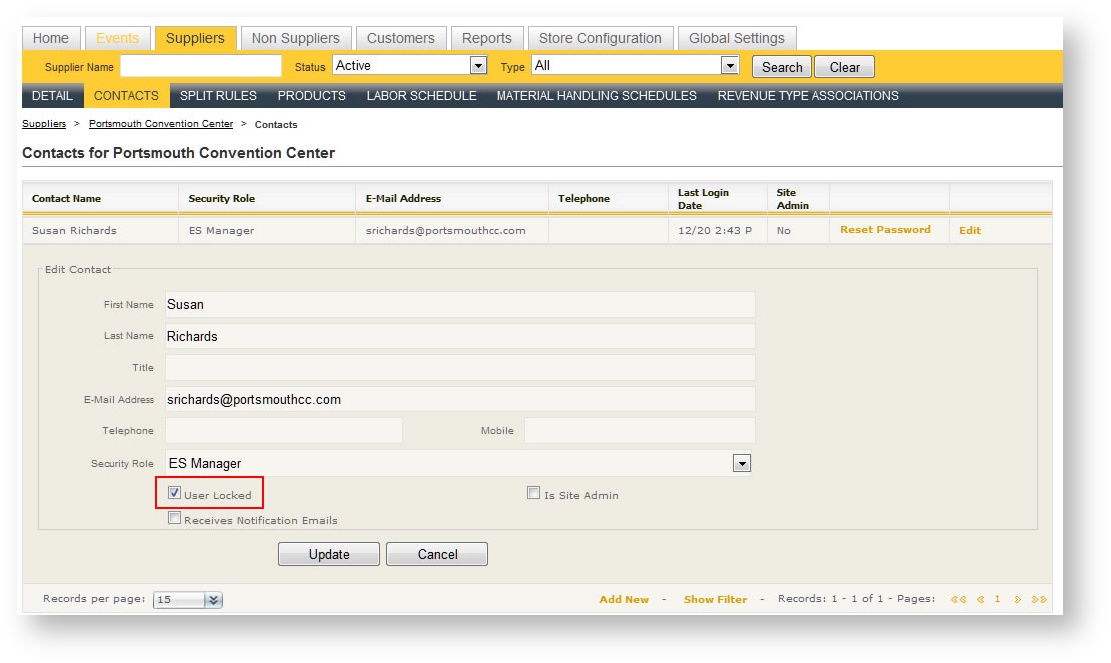
If a user does not successfully log in after a certain amount of attempts, he/she will be locked out until someone with Administrative rights unlocks him/her. The number of attempts is defined in Password Policies. To unlock a user:
- Click on the main Suppliers tab.
- Open the Supper that contains the user's contact information.
- Click "Edit" in the row of the contact.
- The "User Locked" check box will have a check mark. Click it to unlock the user and hit Update.