-
Use the Contact Export as a source for obtaining a list of all contacts for one or more events for mailing, faxing or e-mailing purposes such as marketing.
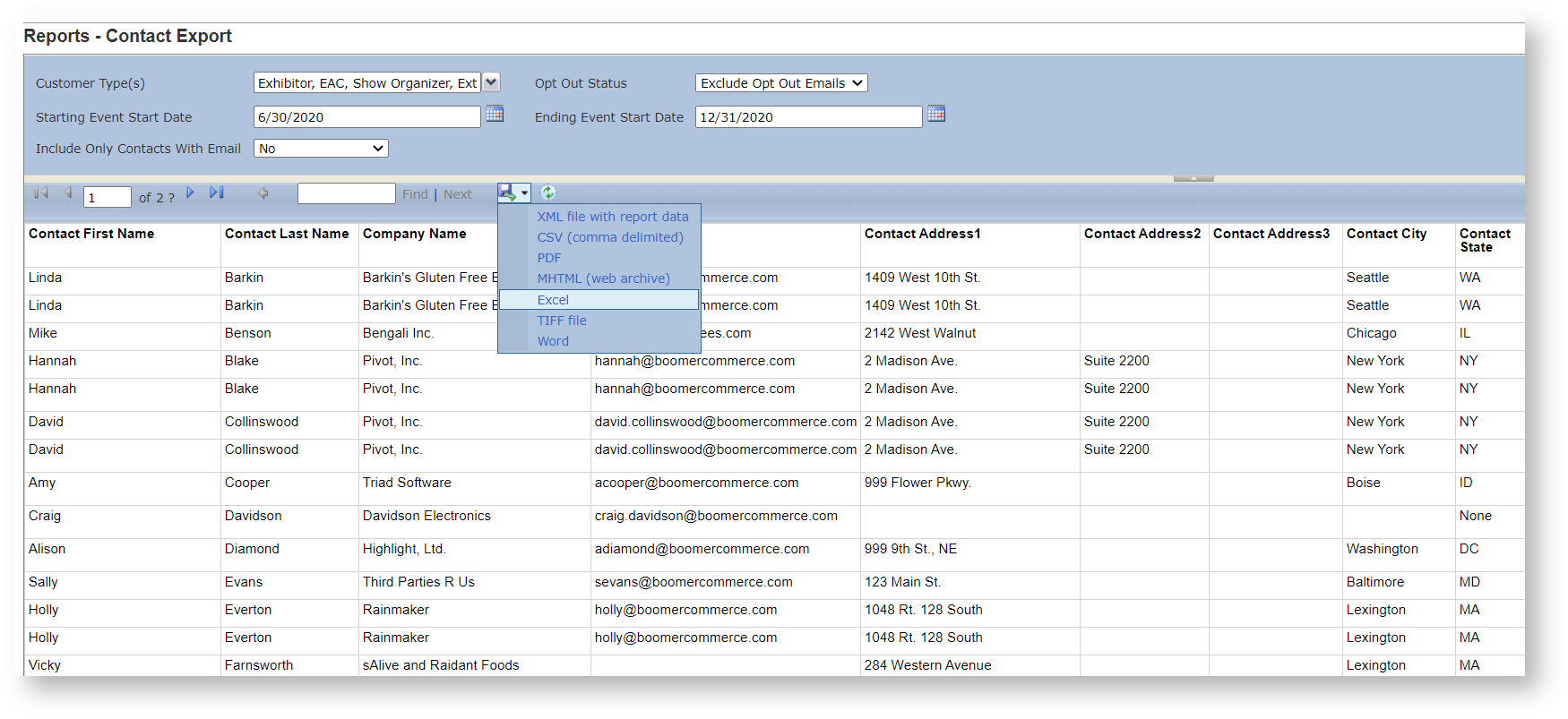
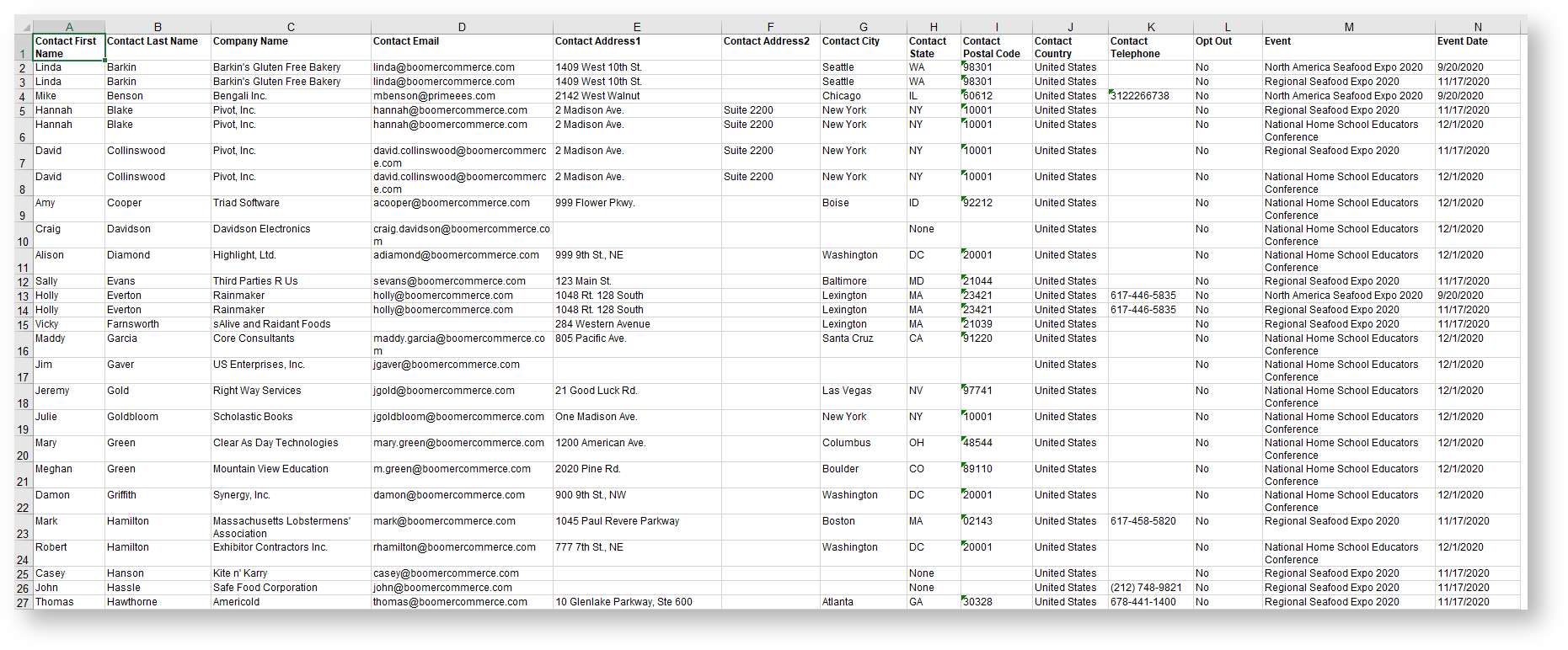
This report is not designed with end user viewing in mind, and therefore it will not have headers, footers and other fancy formatting. Its purpose is to be exported into other file formats such as Excel or Word for merging. To export to Excel, once the report is run, click on the blue disk in the report parameter area and choose "Excel":
-
Field Name Available Values Default Event List of all events in the store.
None Opt Out Status Exclude Opt Out Emails
Include All.Exclude Opt Out Emails. Starting Event Start Date Ending Event Start Date Include Only Contacts with Email No
YesNo Customer Type(s) All customer types defined in the system. All customer types. Output One Row Per Contact, One Row Per Event.
Get in touch
-
<% blocks.forEach(function(block, index) { %>
-
<% if (imageHeight) { %>
<% } %>
<% if (block.name) { %><% if (block.html_url) { %> <%= block.name %> <% } else { %> <%= block.name %> <% } %>
<% } %> <% if (block.description) { %><%= block.description %>
<% } %>
<% }) %>