Note: This build introduces substantial screen changes in the order area. Please be sure to check out the new screens in the "Orders" section below and/or watch the YouTube video (click here) that explains the changes and enhancements.
Store
1. Contact E-mail address is an available search option in the grid of the main "Customers" tab.
2. If a customer prints the order summary screen on the storefront, the Event name is included in the summary.
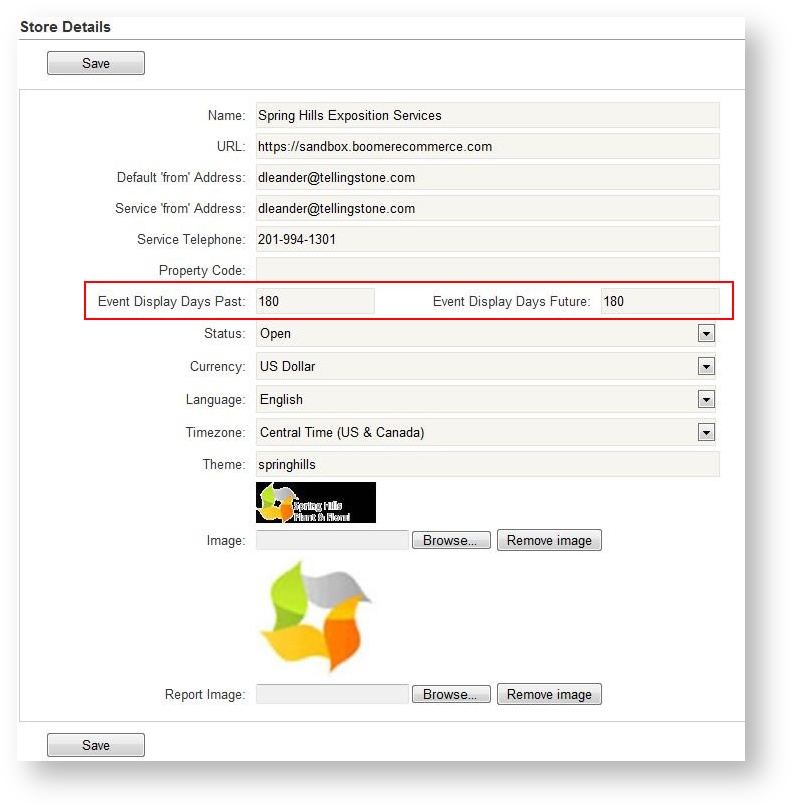
3. You can now custom configure the date range that controls the events that appear in the Events grid by default. To do this, an Administrator can go to Store Configuration on the Detail form. Half way down the form are two new fields - Event Display Days Past and Event Display Days Future:
Events
1. The sorting order of products in the Product Price Export report is more useful. It first sorts on revenue type display order and then product display order.
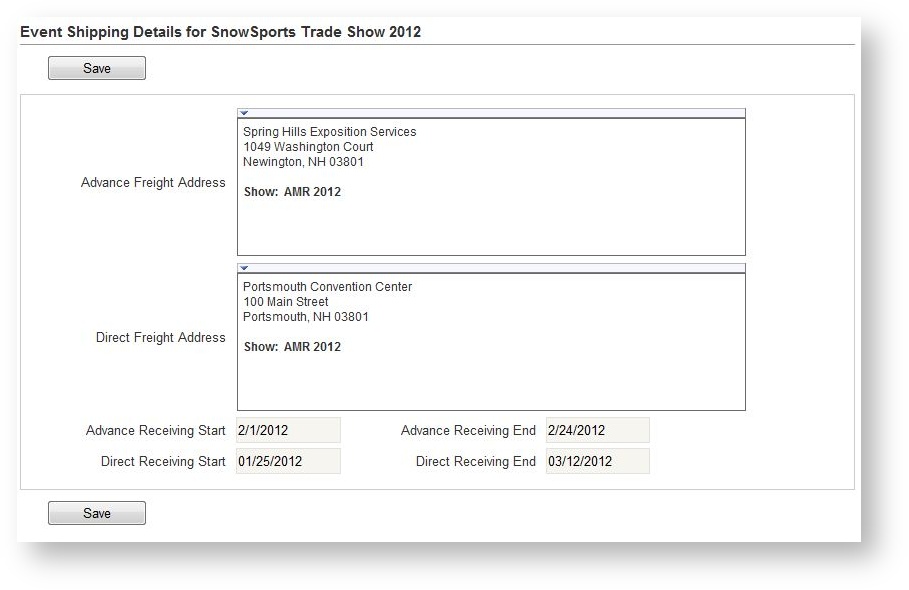
2. Two more freight deadline dates have been added to the Shipping area, so now you can track the following dates: Advance Receiving Start & End Date, Direct Receiving Start & End Date:
3. For those customers using estimated products, the dashboard will be more useful to you. It displays both "Real" revenue that has been charged in an event as well as "Estimated" revenue (primarily for freight and labor) where there is an Estimated item in the order but charges should not yet be included. If you are still unfamiliar with Estimated products which were introduced last build, learn about them in this brief video.
4. The Delivery grid has much more functionality and items are editable there. View the You Tube video here.
5. Only e-mail templates that are usable for e-mail campaigns will appear for selection when creating an e-mail campaign. This prevents the user from accidentally choosing an inappropriate template.
Orders
1. Manage order items in a whole new way. The Order Summary now has the old "Order Items" screen so you can edit items the usual way without having to even leave the Order Summary screen:
The "Order Items" menu option now lists items in grid format and contains powerful functionality:
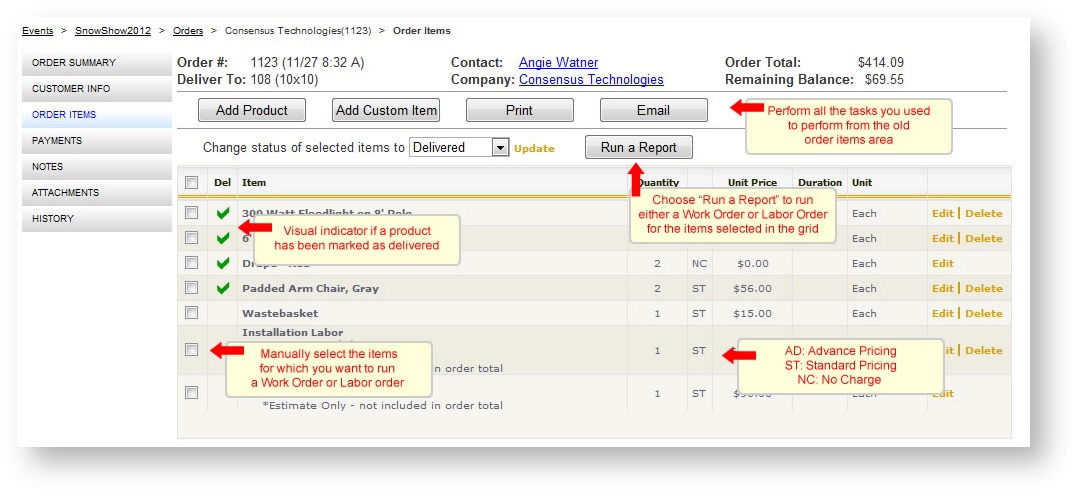
This is probably the biggest usability change we have made since Boomer was released last year, so we encourage you to view the video on YouTube about this new functionality.
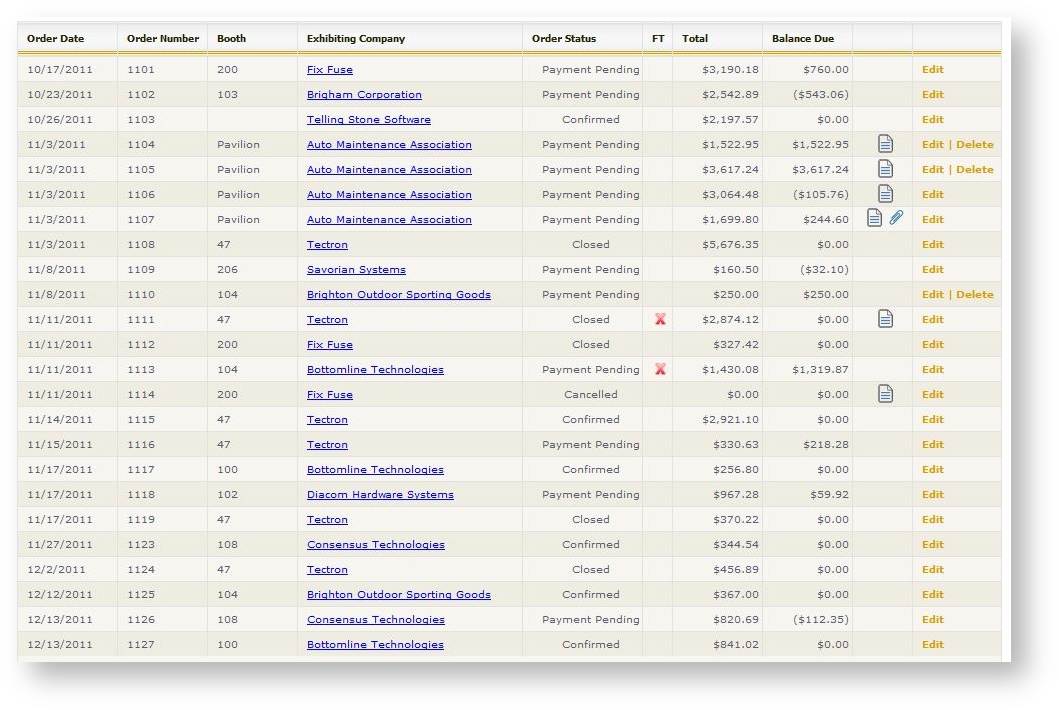
2. There is a new column in the Orders grid of an event called "FT". This stands for Failed Transaction and if the order has a payment that did not successfully go through, the column will have a red X:
3. Booth size is now displayed at the top of the order summary.
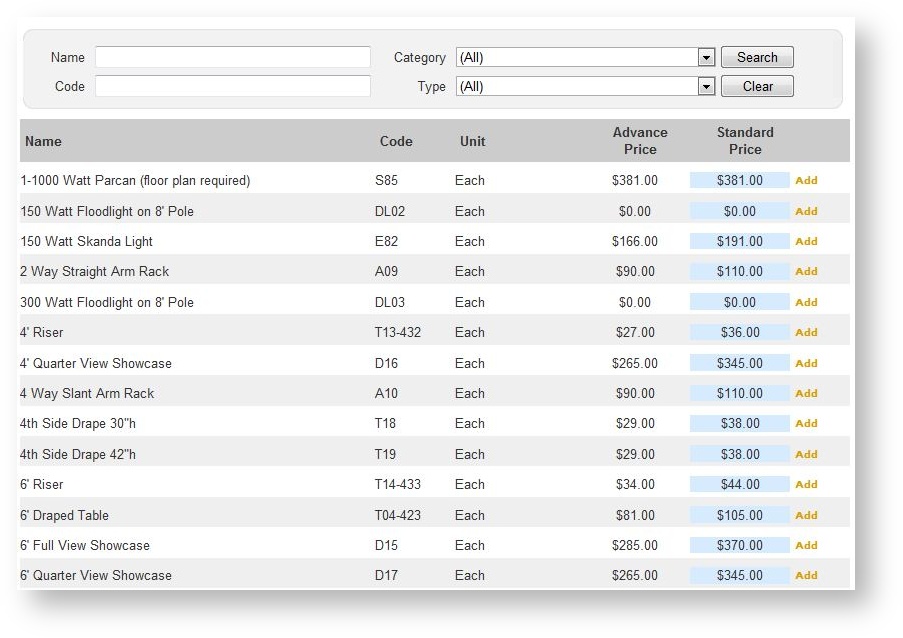
4. When selecting a product to add it to the cart, both the Advance and Standard price appear in the grid. The one currently active based on the discount dates defined for the event appear with the slightly blue background:
Reports
Changes to Existing Reports
1. The "Print Charges" report parameter on the Labor order defaults to "No" instead of "Yes".
2. When running the Invoice from the Main Reports tab, optionally group items by either Department or Revenue Type.
3. Most reports where selecting a product is a parameter have been enhanced. You used to have to manually type a single Product Code. Instead, based on Revenue Type filters selected, whatever products are in use within an event belonging to those Revenue Types may be selected. See this video for more information.
4. The Delivery by Product and Pull Lists optionally allow you to print Product Codes.
5. The Processed Payments report now prints the External Show Code if one has been defined for an event.
6. The Event Dashboard, Show Summary and Billing List reports all report both "Real" revenue booked as well as revenue represented in estimated products.
7. The Labor Summary report provides an indicator of the item is marked as Estimated.
8. Improvements to the Accounts Payable/Accounts Receivable Report:
- The exhibitor name is bold if there is a card on file.
- there is an indicator as to whether there were previous payment attempts made.
New Reports
If you are interested in taking advantage of these reports and do not see them listed in your reports grid, we may need to make it visible in your system. Contact us for assistance.
1. Revenue Recognition provides a daily revenue total with taxes and gratuity by revenue type reporting when revenue will be recognized (i.e delivery date, not the order date).
2. Exhibitor Labels - Floor with Booth Only. Prints only the booth number in extremely large font on 5 1/2 x 8 1/2" labels for the purpose of marking booth locations on the floor on on columns.