Events
- If the attachment grid was sorted by the user, the data in the rows did not properly follow the sort of the column. This has been corrected.
- New fields on the Event Detail:
- Event Common Code. Used to group similar events together. This is used in combination with the "Compare Similar Events" report. See this brief movie for this powerful feature: http://youtu.be/5M5woYjQ9Yg?hd=1.
- Net Sq Feet.
- Gross Sq Feet.
- Exhibitor Service Manager (different from the Service Manager field).
Orders
- When the Delivered flag or the Estimated flag is checked or unchecked, it is logged in the order's history.
- You can now change an order's Card on File back to "None". Previously when a user attempted to do this, the change did not save.
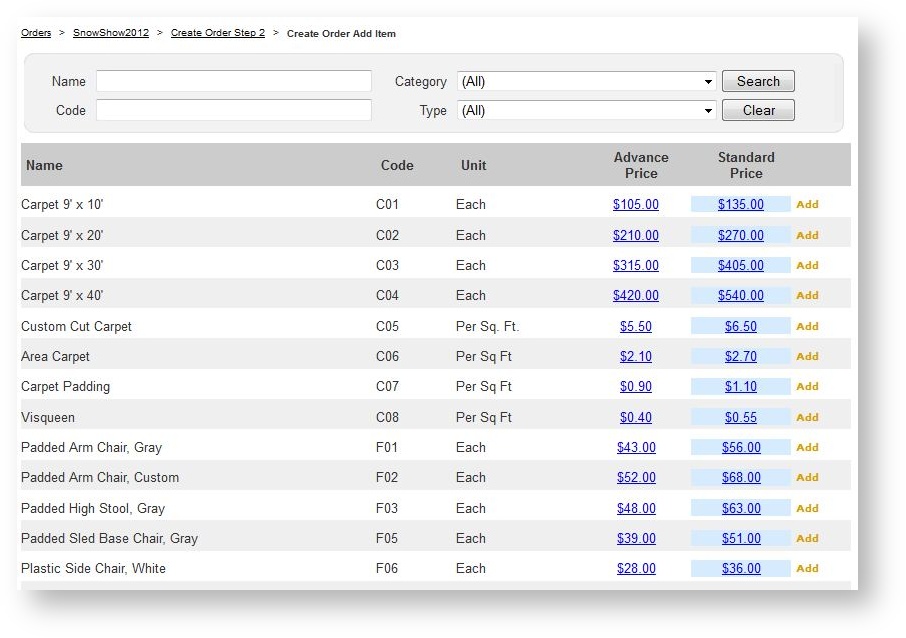
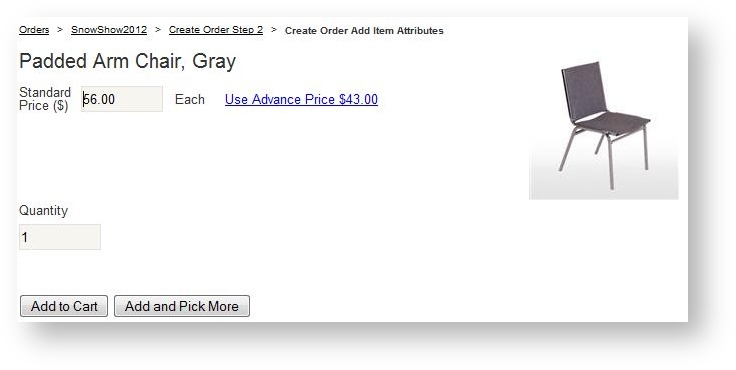
- When in either the advanced or standard pricing period, the prices of the other period are displayed and may be clicked to override whatever the current price is. This is in both the product selection grid as well as the product detail form:
Product Selection Grid:
Product Detail Grid:
Suppliers
If a product has an image, there is a green check mark in a column in the products grid.
Reports
- Order notes print on the Work Order.
- New Report: Shopping Cart Contents. For a given event, lists all contacts who have products in their cart along with the contents of the cart.
- Published/Unpublished, Advanced Pricing End, Exhibit Service Manager, Net Sq Feet and Gross Sq Feet have all been added to the Event Export report.
- Billing List can be filtered by Customer Type.
- The Invoice, Processed Payments Report and New Order Confirmation templates display a check number if payment is by check rather than the reference number.
- New parameter option on the Pull List to print Product Codes. Default is off.
- Optionally filter and/or group the Delivery by Product report based on the Location of the a booth.
- If an invoice is run from the Reports menu for an event that has a Canadian venue, the "Total Tax" line will read "Total % HST" instead.
- The "Delivery" report (used mostly by venues) groups products by day so that products with different delivery dates appear in their own grouping. Also optionally sort by both or exhibitor name.
Security
- More refined security settings for Payments: a) determine who can process a refund; and b) determine who can process all outstanding balances for all orders in an event.
- Hide Material Handling via security roles if you are a supplier that doesn't use this functionality (i.e. venue or specialty supplier).
Storefront
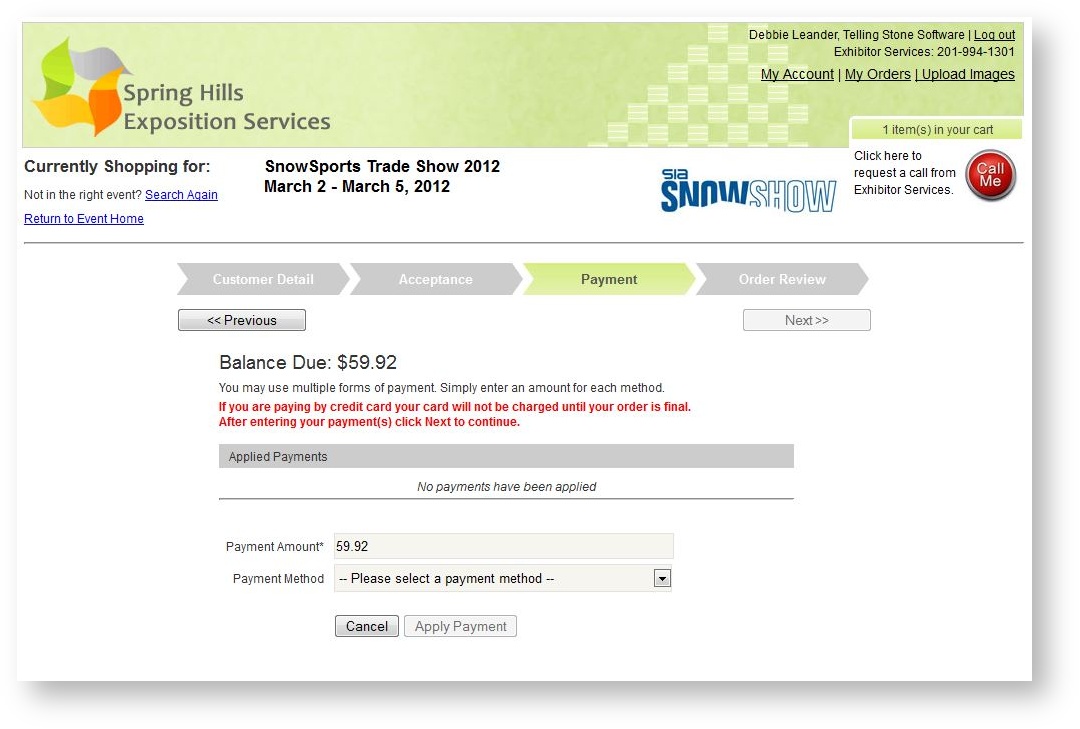
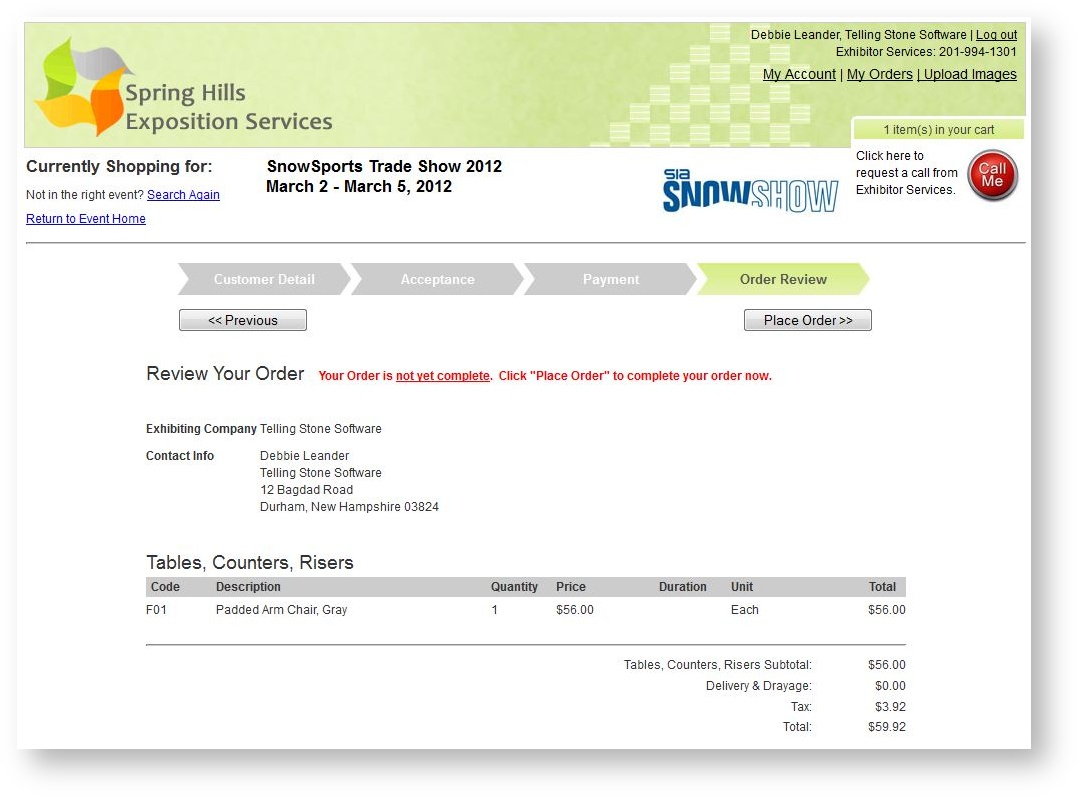
- The check out process messages have been refined, made bold and red so a customer has better guidance as to whether their order has been placed. The two new screen shots are below, but we encourage you to visit the full help topic that documents the storefront highlights here.