Orders
- Enter decimals for labor hours (e.g., 1.5 hours)
- The defect has been fixed where a user could not associate a product and give it a negative dollar amount in an order.
- When the exhibiting company in an order is changed, a clearer message pops up asking the user if they are creating a third party/EAC order rather than the confusing, vague dialog box that used to appear.
- When creating a new order, the booth number is an incremental search field, allowing the user to begin typing the first few characters of the booth name, which will load matching results in a drop down box.
- "Run a Report" button is available in the Order Summary area. While the user cannot select which items to run a report for (use the Order Items grid to do this) he/she can still generate a full work order and/or labor order for items in an order.
Shipments
- Canadian address issue that causes an error in a shipment has been resolved.
- Carrier Name appears in the shipment information of the order item.
- Driver Name has been added to a Shipment, immediately below Driver #.
- Shipment # has been added as a field to filter on above the shipments grid.
Shipment Reports
- New Report: Driver Check In Sheet. For direct shipments lists driver and shipment details in list format.
- Booth Location is now an available filter in the Shipment Details report.
- Booth Dimensions is an available group by in the Freight Manifest report.
- On the Receiving Report for a direct shipment, it says "Dock/Hall" instead of just "Dock" for that field.
- Inbound date filters have been added to the Shipment Details report.
- Filter the Shipments by Weight Recap on inbound date/time.
Other Reports
- New Report: Exhibitor Contact Export - Single Event. Generates a report easily exportable to Excel. that allows the user to filter contacts based on whether they have cards on file and whether they have orders.
- Filter the Booth Check List on order modified date/time.
- In the Delivery by Product report, if no booth dimensions has been defined for an exhibitor, the word "*none" will not print out for square footage products.
- If an exhibitor has more than one note or attachment, all notes/attachments will print on the Exhibitor Notes and Attachments report, not just the first one.
- Onsite contact has been added to the Booth Check List.
Events
- In the Event Detail form, a new check box called "Show Advance Price Discounts on Storefront" (just above the event's upload logo field) determines whether the discount for advanced pricing appears for products. On the storefront, it will appear as follows:
In browse view: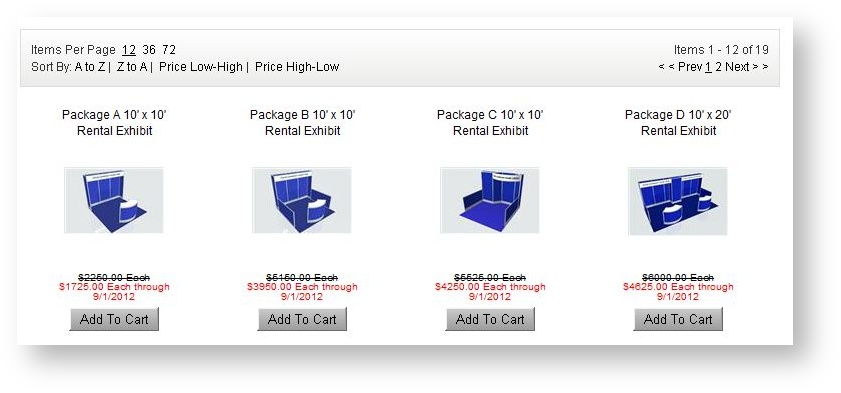
In detail view: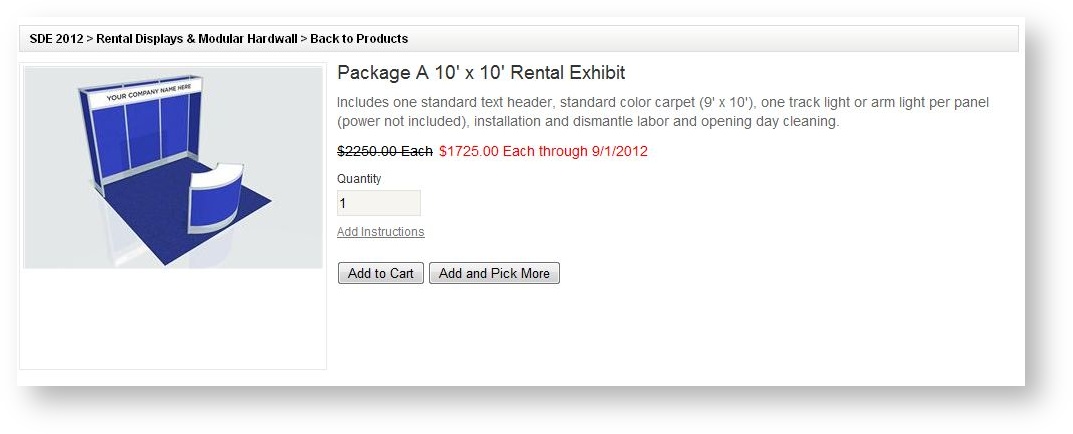
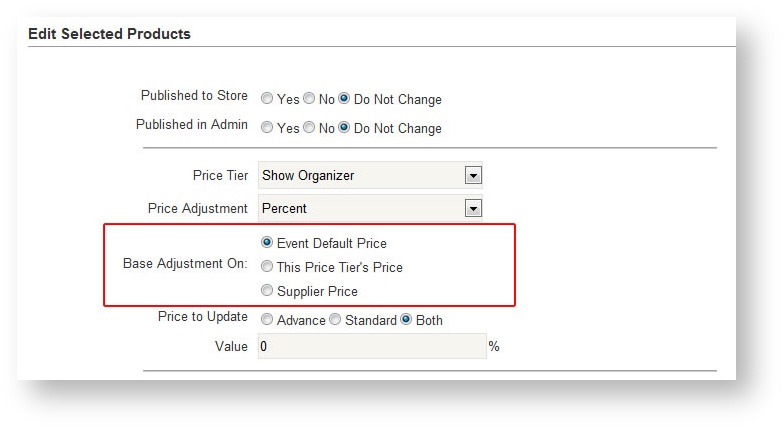
- Enhanced ability to edit pricing in an event for multiple products. When adjusting the price, the user can choose which price the adjustment should be made against. This will lessen confusion as to which price the change is based on:
Exhibitors
- Enter a contact's e-mail address in the "Associate an Exhibitor" to find an existing exhibitor. The picklist now lists all contacts for each company which allows the user to choose the contact and automatically make it the main contact in the event.