It is recommended that you organize your packages first, so that if there are multiple packages for the same exhibitor, you can scan them all at once.
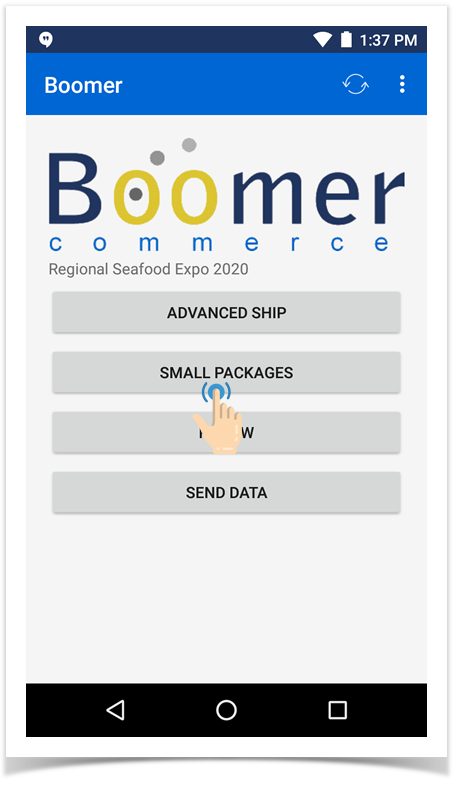
- Click "Small Packages" from the main menu, making sure you are in the event you want to be in:
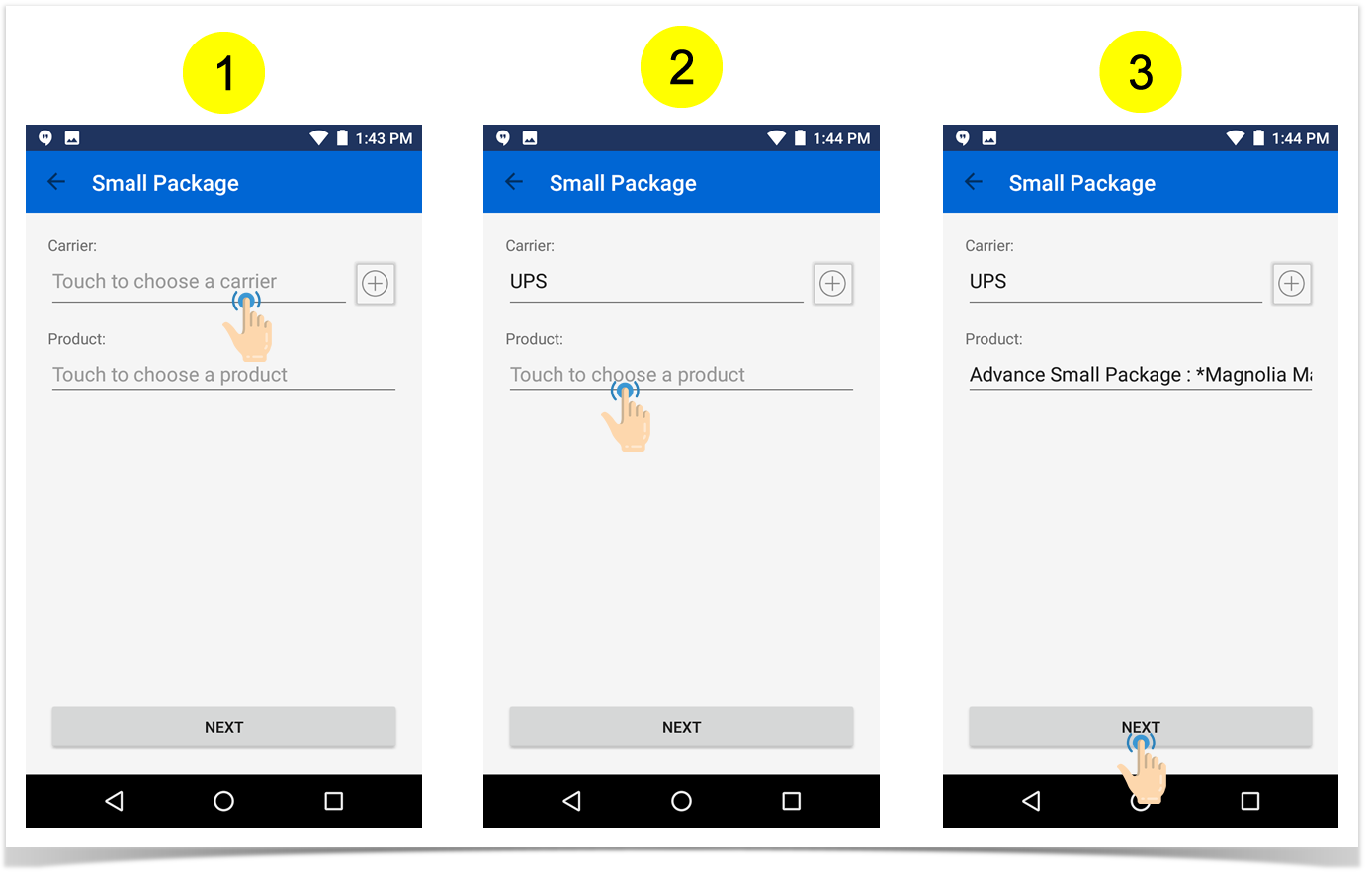
- Fill in the Carrier and Product and then hit "Next" to continue (Note: If your carrier doesn't exist, you can click the gray circled plus button next to the carrier field to add one "on the fly"):
-
Associate the small package to an exhibitor.
FieldExplanationExhibitor You can scroll thru the exhibitor list or search for a company name by typing in the name. The results will automatically rise to the top of the list as you type the letters and the Boomer works to find a match. You can also do a search by Booth or Contact by clicking on either of those buttons and then typing in a number or name, respectively. If you don't see the exhibitor, you can add one "on the fly" by clicking the gray plus button next to the exhibitor field (note the address is optional). Order Contact Will auto-populate if this information is in Boomer. Otherwise, click the gray button to the right of the field to add one.
Booth Will auto-populate if this information is in Boomer. Otherwise, simply type the booth number into the field. 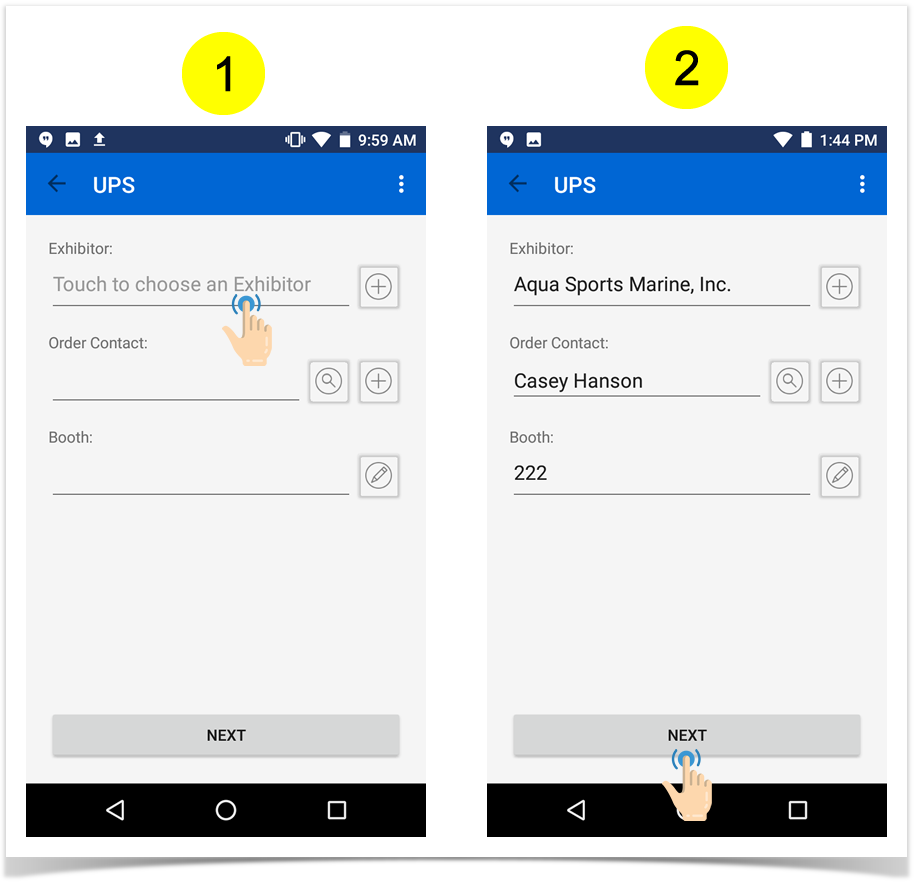
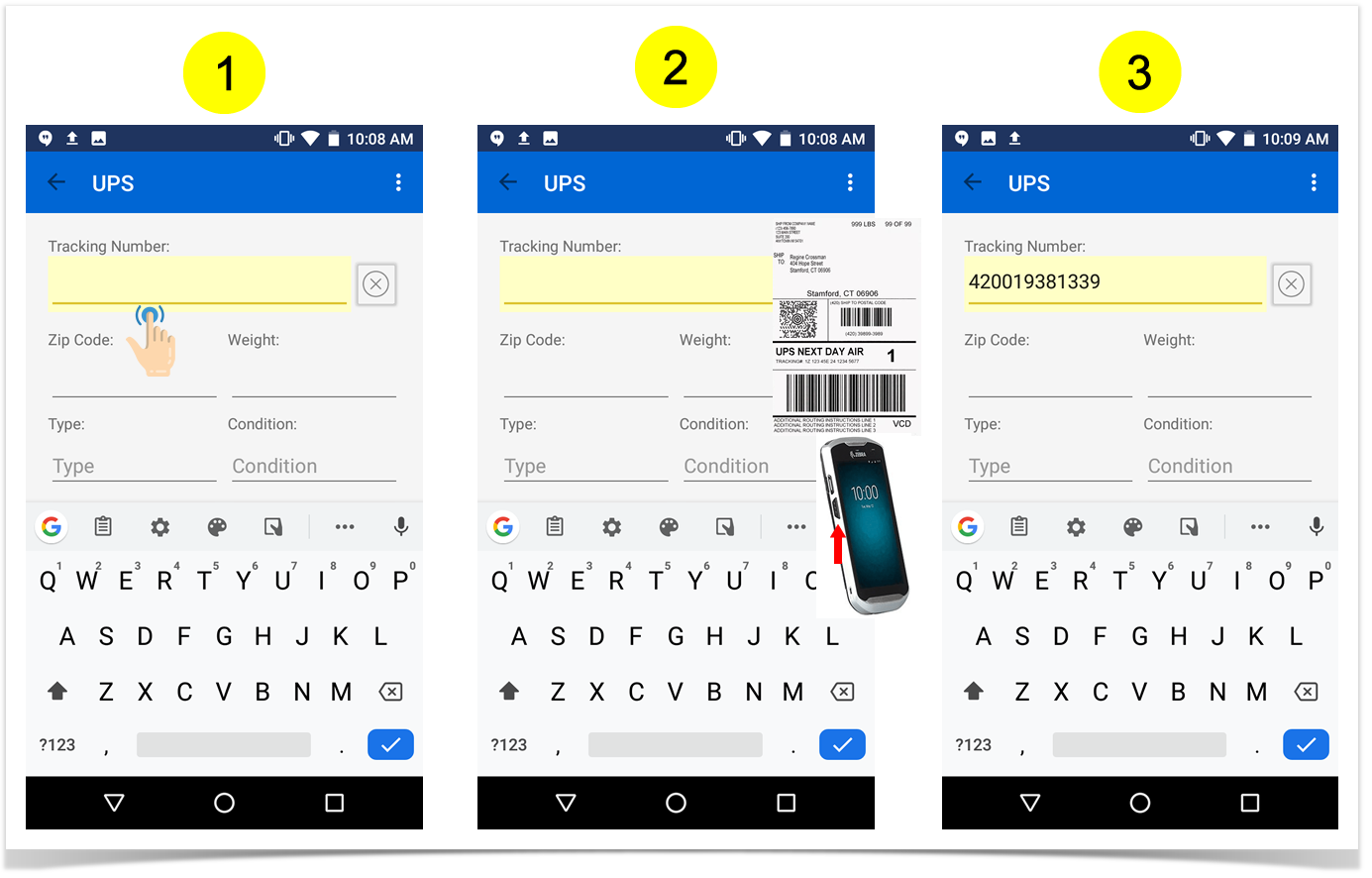
- Touch the blank Tracking Number field to highlight it (it will turn yellow to indicate it is in focus). It is now time to scan the label. On the side of the device, press the second large button on the left or right side. A red light will appear to indicate the scanner is ready. Point the red light at the bar code on your label. It will beep to indicate the scan was successful (if sound is on):
-
Manually enter the remaining fields:
FieldDetailsZip Code From the originating address Weight In pounds Type Touch to select Cartons or Envelope Condition Touch to select Good, Damaged, etc. Notes See next step below. Photos See next step below. - If you want to add a note and/or photo, click the respective button:
Note: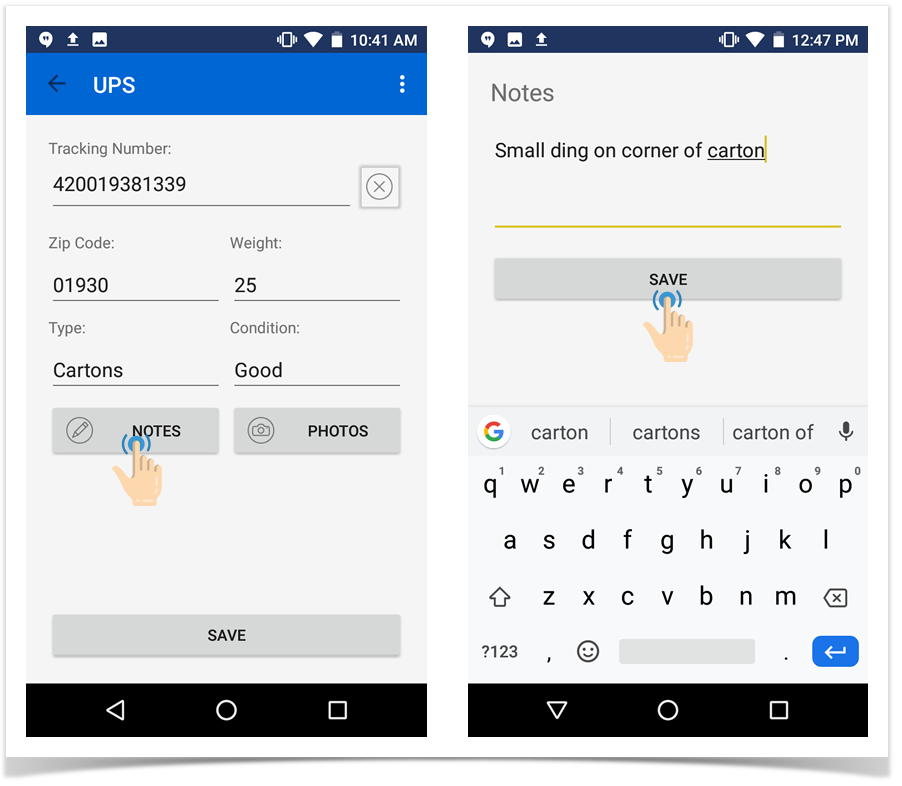
Photo: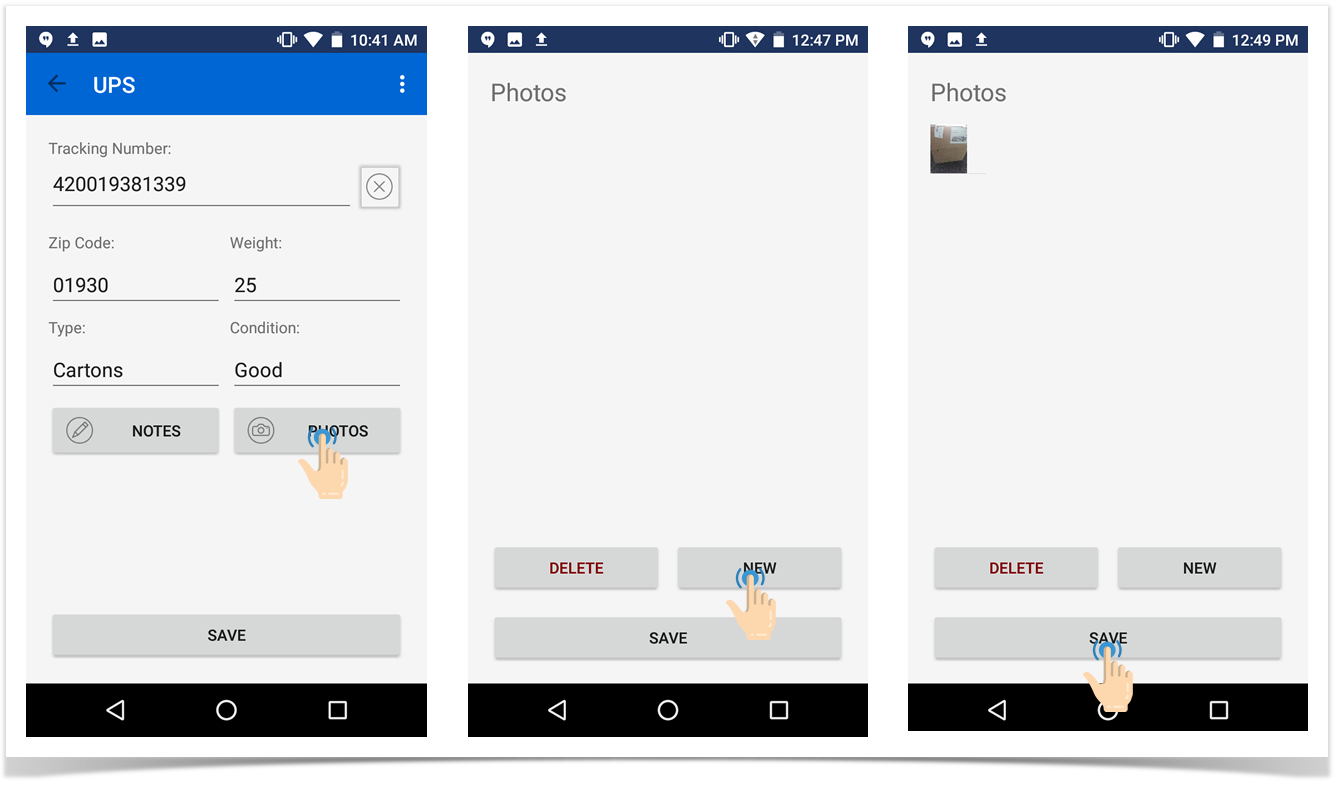
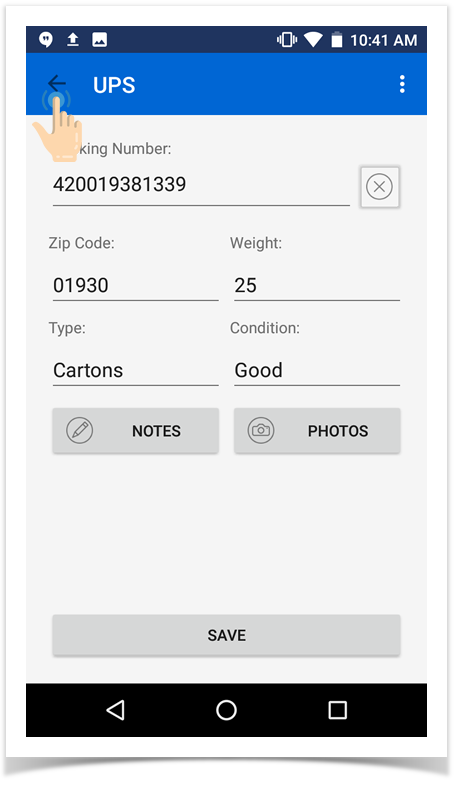
- Repeat the above steps until all the small packages for the exhibitor have been entered. Use the back arrow button at the top to go back to the exhibitor screen to choose the next exhibitor: