Storefront
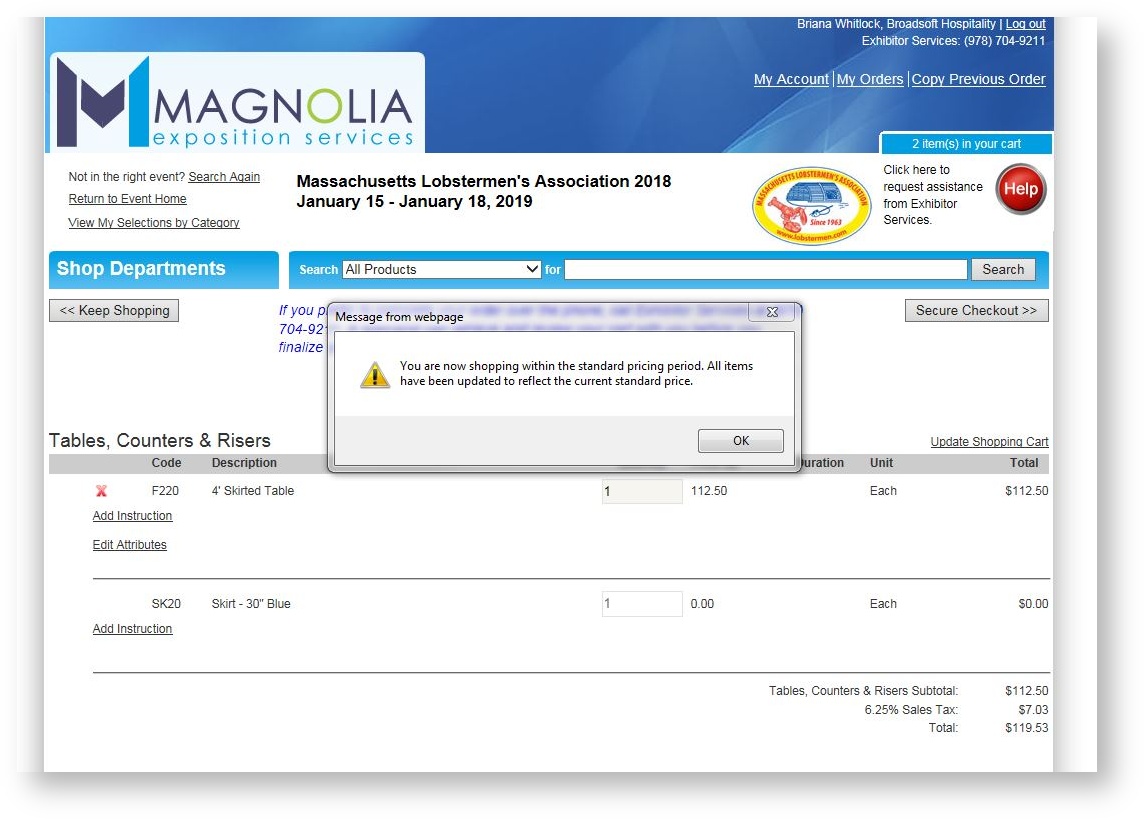
- If a customer puts an item in his/her shopping cart during the advanced shopping period, and then loads the shopping cart after the deadline date has passed, prices will be updated to the standard prices and the customer will be notified:
- There was a bug where a customer could click into "My Orders" on the storefront, get to the details of an order in an event that was no longer published, and copy the order, thus filling up his/her shopping cart for an event not published. This loophole has been corrected.
- A customer may no longer edit or remove an item that has a delivery date if the delivery date has passed. This scenario might happen an event's start date has passed, but the end date has not and it is therefore still published.
- The last release added "Show Acronym" as a searchable field for an event. It worked properly in the Admin Portal but not on the Storefront. This has been corrected and your customers can now search by Acronym.
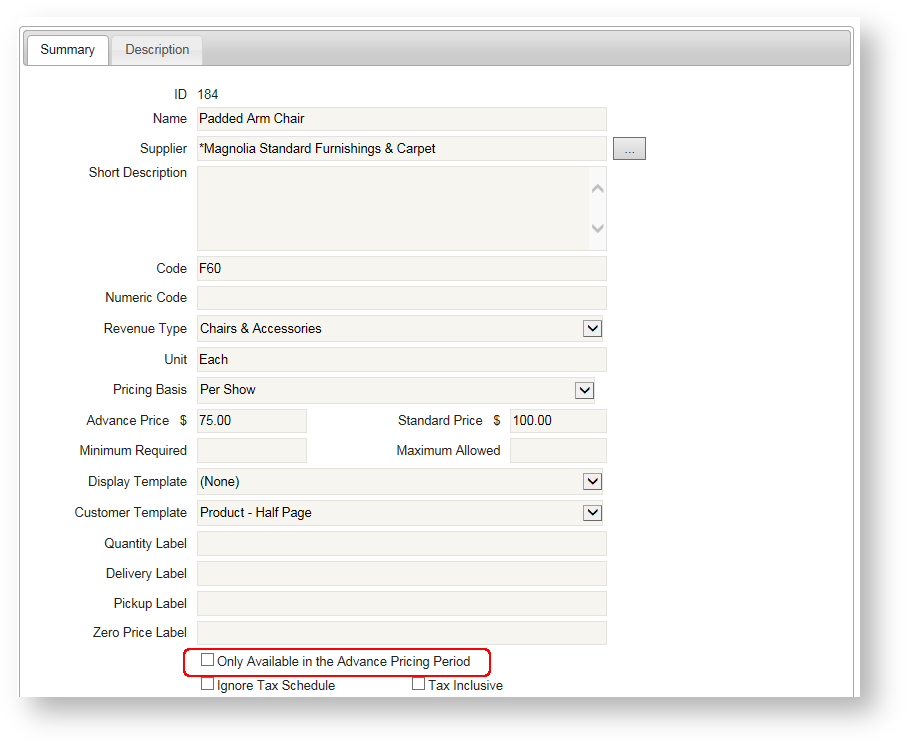
- A flag in a product's configuration detail determines whether the product is "taken down" from the storefront automatically after the advance pricing deadline date. You can find the flag in the product detail as shown below:
Events
- A new command available above the Events grid allows you to "Lock Event Pricing" for one or more events (controllable by security). This would be used for any event that you did not explicitly import an event level price list to, and whose pricing would therefore otherwise be updated if the default supplier level pricing was changed. See Lock Event Pricing.
Contacts
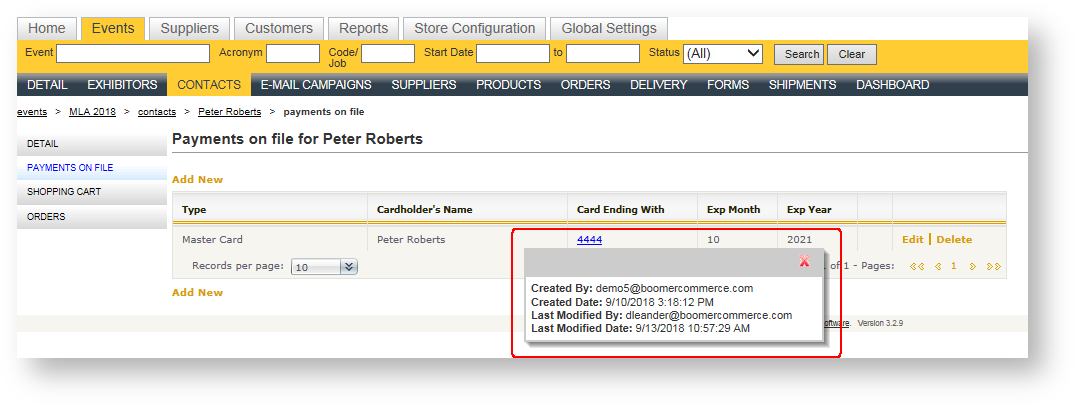
- Under a contact's Payments on file, the last four digits of the credit card has been made a clickable link that launches details about how added the card and when, and who last modified it and when:
Orders
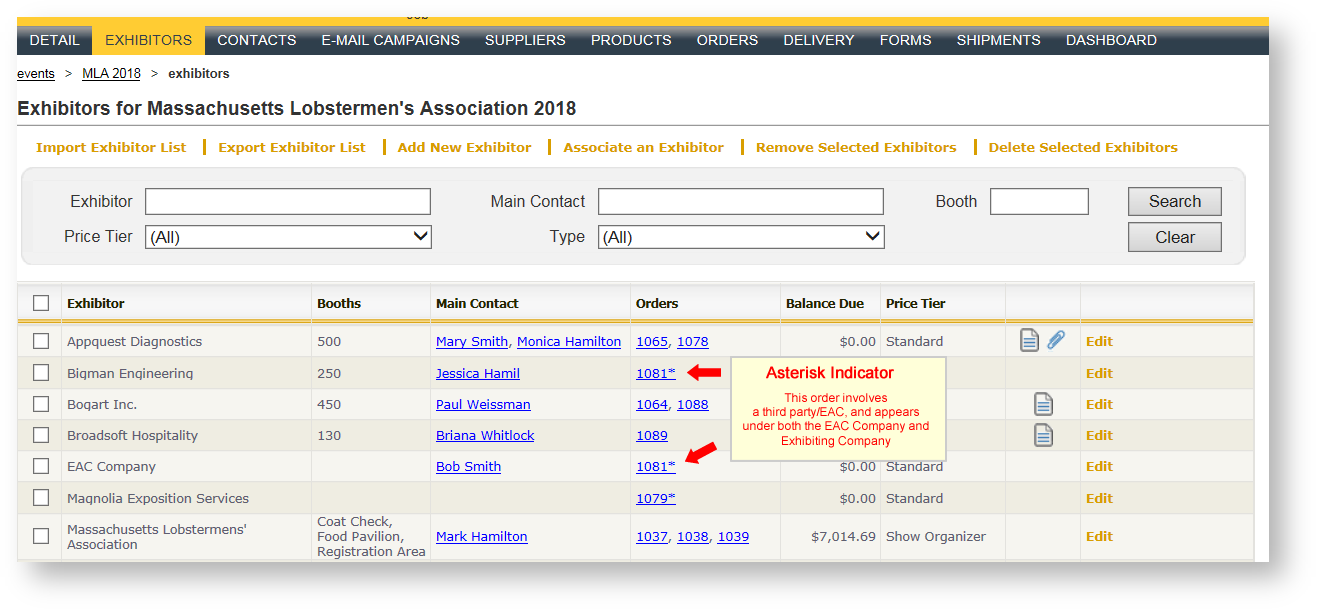
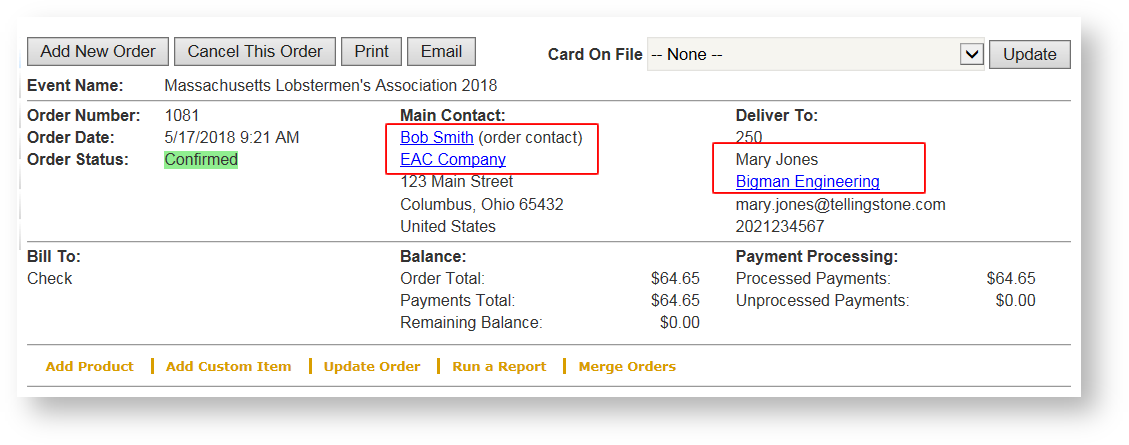
- Better indicators have been added to indicate that the order is associated with an EAC/Third Party. They include:
- The order will be listed under both the exhibiting organization's orders as well as the EAC organization/contact.
- An asterisk will appear after the order number if the order is associated with an EAC/Third Party.
- The order contact's company appears under the contact's name on the order summary:
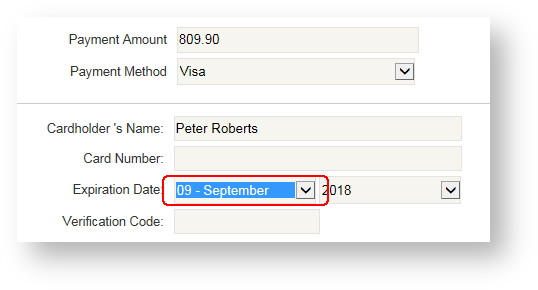
- A credit card's Expiration Date/Month field now has a preceding number value to represent the month in numeric format:
- When an order is initially created, the history log entry has been changed from "Initial Order Creation" to "Initial Order Creation/Terms & Conditions Accepted" so that it is clear they also accepted the terms and conditions.
Shipments
- A new shipment status called "Shipment has Arrived at the Warehouse". If you are currently using the shipment status field, you can set up an email trigger to notify your customer of shipment arrival at the warehouse. If you need assistance in setting this trigger out, please email support.
- A shipment's Pro # has been added to the Freight Revenue Detail report.
Reports
Existing Reports
If you don't see a certain report available to you and would like to use it, please reach out to Support to have it exposed.
-
Shopping Cart Contents Across Events
New sort options including highest-to-lowest value, or lowest-to-highest value Use this report to encourage your customers to finalize their order and make the sale! - Product Use
New Group by allows you to group on either event start year or event end year. - Show Summary
Allows you to select more than one event. - Invoices
A new parameter called "Title" lets you control whether the title of each invoice is labeled Invoice, Receipt, or Statement. - Work Order Export
Modified so that once exported to Excel, all columns would fit on one page across Landscape. - Pull List
- May now be filtered on Order Item Created/Modified Date.
- Previously when two items were named the same exact thing but were actually different (i.e., they had different product codes) they were not separated out. They will now be listed separately.
- Product attributes are included when Shopping Cart details are chosen to be printed.
- Delivery by Product
New group by has been added (by event) so that you can run the report for multiple events, and the products are separated by event(s). - Customer Summary
A new parameter controls whether orders placed by third parties for the exhibitor are included on the report or not. - Work Order - Show Organizer
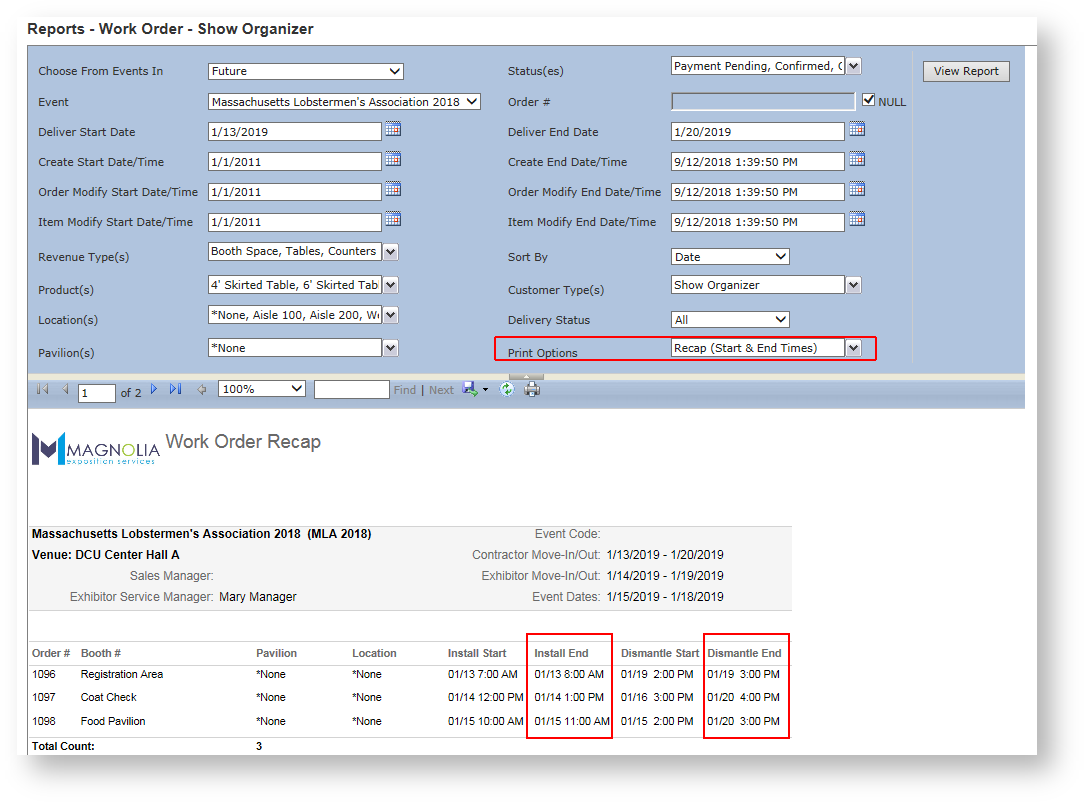
- Sections to Print parameter has been renamed to Print Options.
- The Print Options parameter has two Recap options; one to print the start times only, and one that will print both start and end times:
- The same "Print Options" parameter has a new selection called Item Dates & Times which will print date and time details for any products configured to have them.
- Notes (Event and/or Customer)
The ability to select multiple events between two date parameters has been added. - Order Summary
New parameter to filter on orders that include estimated products has been added. It is called "Estimate Status".
New Reports
If you don't see a new report that you would like to have access to, please reach out to Support to have them exposed.
- Deposits for an Event.
For a single event, lists deposit details for one or more customers. See Deposits For An Event. - Work Order - Material Handling
Available from the "Run a Report" button, this report looks like a standard work order but includes only freight/material handling products. This report is not exposed by default, so if you are interested in having it as an available option, please contact us. - Supplier List
Generates a list of all suppliers in your system, along with address details and when it was last modified.
General
- The main "Customers" tab has been added as an available entity in a security role to control whether the user can access it. It was previously controlled via the ability to see Exhibitors instead.
- A manual payment method (such as a check) can be configured to be marked as "Received" automatically rather than having to first record the payment, and then secondly change its status. If you are interested in doing this with any of your payment methods, please reach out.