Storefront
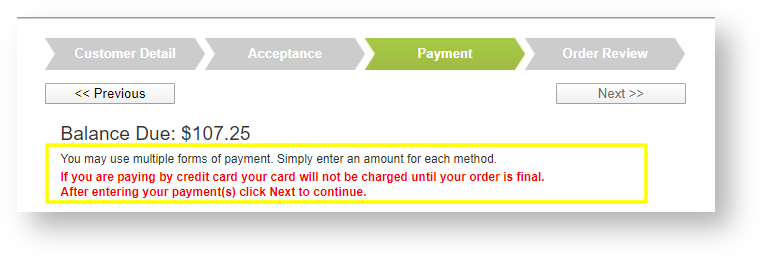
- The payment message displayed during the checkout process may be fully customized. If you are interested in changing the verbiage displayed in the highlighted box below, please contact support@tellingstone.com
Events
- History log tracks changes to key event fields. See help topic for details: History
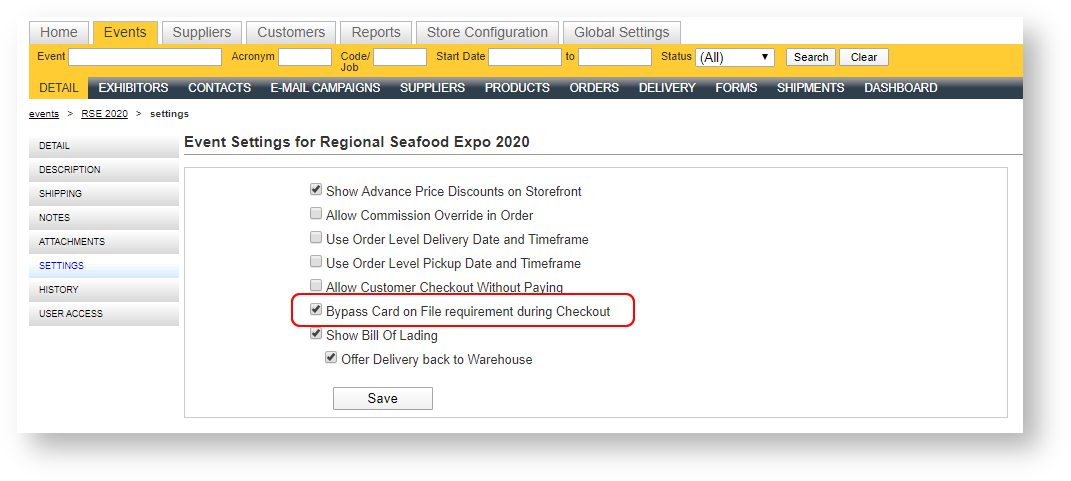
- Enable an event setting to bypass the requirement of having customers put a card on file during the checkout process for that event. The setting can be found under Settings within the event:
- The Products grid returned an error when clicking on it coming directly from the Suppliers\Products grid. This has been corrected.
- The Contact Picklist for email campaign contacts was not excluding deleted orders when an order filter was applied. This has been corrected.
Bill of Lading Enhancements
- An exhibitor may submit multiple bills of lading. For complete details, see the help topic which has been updated: Bills of Lading.
- In Step 2, the address does not automatically default in, but the user can check "Use my main address" which will then auto populate the address based on the contact. In addition, a field called "Declared Value for Insurance $" has been added which prints on the BOL.
- In Step 3, you can now designate "Preferred Show Carrier" vs. Other Carrier. When Other Carrier is selected, the user may enter the carrier's name. Also in Step 3, a new field called "Desired Arrival Date" may be entered and prints on the BOL.
- In Step 4, you can control whether the option to offer delivery back to the warehouse appears via an event setting:
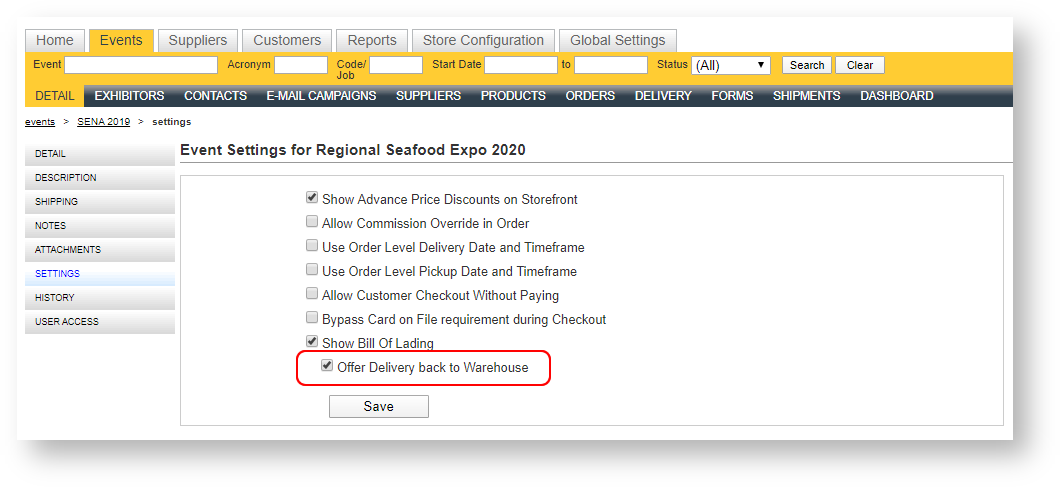
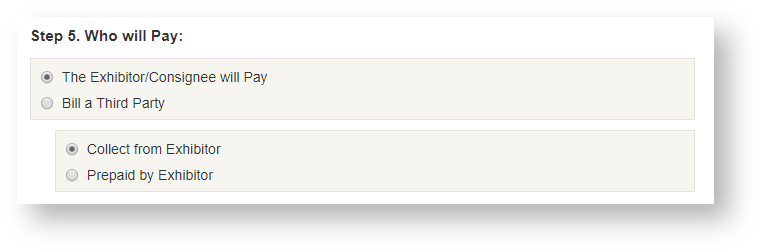
When unchecked, there is no option displayed in Step 4 to Delivery back to Warehouse at Exhibitor's expense. - In Step 5, when the option "The Exhibitor/Consignee will Pay" is selected, additional radio buttons allow the user to choose either Collect from Exhibitor or Prepaid by Exhibitor:
- Signature lines now have a place to print the shipper's name as well as enter a date/time on the carrier signature line.
- Avery 5168 labels now include the bill of lading contact's phone number and an area to write the total number of pieces (see the report topic for a sample)
- The "Step" headings of the bill of lading are now configurable. If you prefer the language in the "Step" headings to be different than what is there by default, reach out to support at support@tellingstone.com and let us know what nomenclature you prefer.
- When a contact's mobile number is blank, the business phone number defaults into the BOL phone fields.
Reports
New Reports
New reports are not always available by default. If you are interested in exposing one of the new reports available, please email support@tellingstone.com.
- Orders By Customer By Date: List of orders grouped by customer for a date range. See help topic: Orders By Customer By Date.
- Payments By Venue: Payments between two dates grouped by venue with taxes. See help topic: Payments By Venue.
- Invoice - Deposit Without Orders: Run a report for a customer with deposits that does not rely on an order. See help topic: Invoice - Deposit Without Orders.
Changes to Existing Reports
- Accounts Payable/Accounts Receivable: Optionally allow contact details to print on the so it can be handed off to a collection agency.
- Booth Check List: Location/Pavilion has been added (prints below the booth number).
- Billing List by Department: External Show Code 1 (a.k.a Job Number) has been added to each event's header.
- Event Dashboard:
- Cancelled orders are included in the balances due figure.
- Payment details added by customer type.
- Event Export: Includes created and modified details.
- Exhibitor Contact Export - Single Event: New parameter to filter on contact keyword(s).
- Exhibitor List: Booth dimensions have been added.
- Exhibitor Signs - One Per Page: New parameter that controls the positioning of the exhibitor name and booth number.
- Invoices: Consolidates all print options into a single print parameter.
- Labor Summary: New parameter to filter on supervised labor status (All labor, Supervised Only, Unsupervised Only).
- Product Use: New sort options for the products including Quantity and Revenue.
- Pull List: Add the selected values of the Supplier(s) parameter to the header of the report.
- Order Details by Day and Order Summary: New parameter to filter on estimated products only.
- Revenue Summary: Customer Org Type(s) parameter defaults to All.
- Revenue by State: New Group By available called Tax Schedule.
- Shipment Details, Freight Manifest, Driver Sign In Sheet and Shipments by Carrier: New Filter available to filter on "Outbound" shipments.
- Supplier List: Two filters added including Supplier Type(s) and Suppliers to Include.
- Work Order - Show Organizer: New Sort By option to first sort by location and then by location/booth.