-
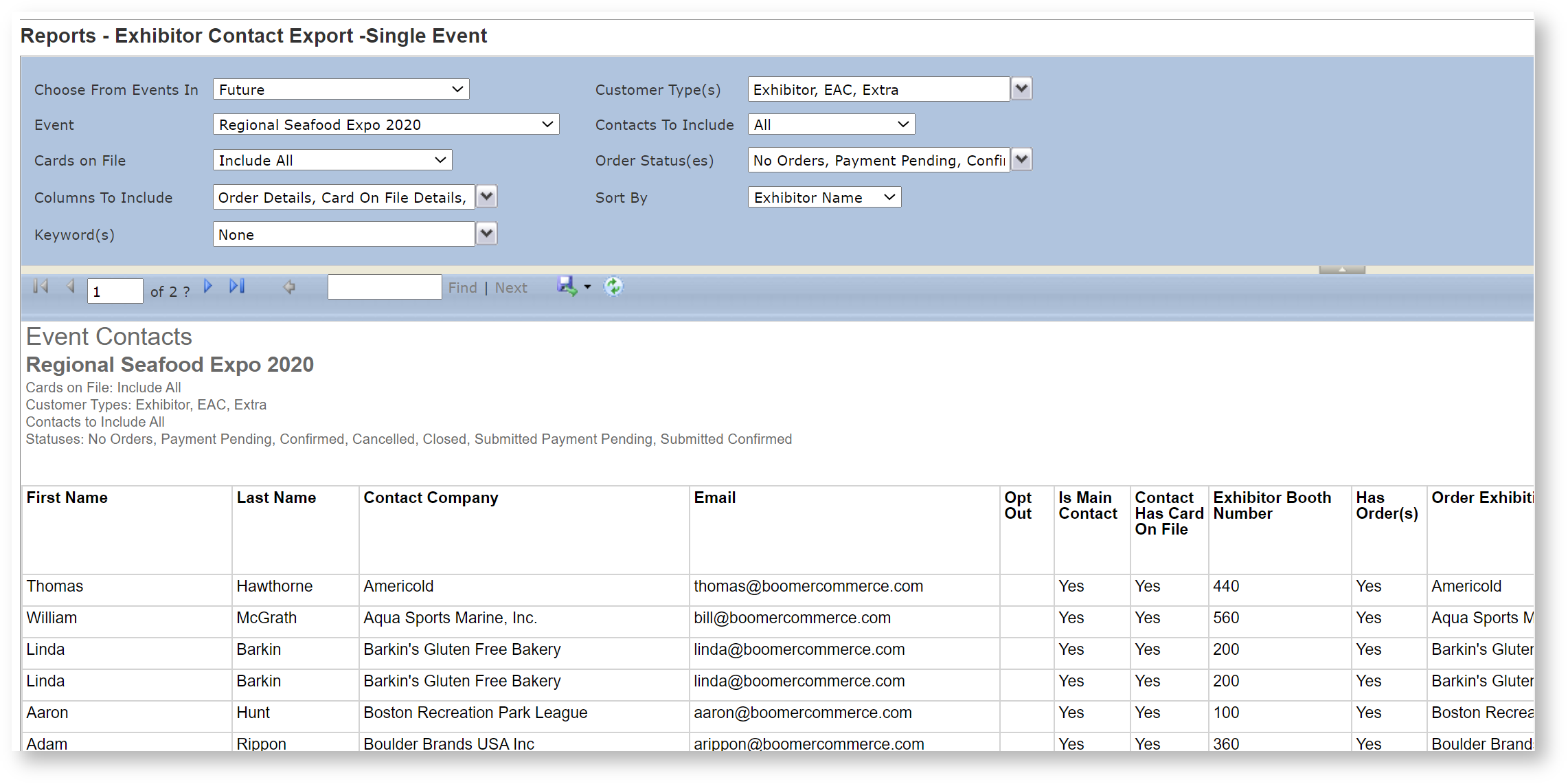
The focus of this report is on an exportable list of contacts for a given event. This report is not designed with end user viewing in mind, and therefore it will not have headers, footers and other fancy formatting. Its purpose is to be exported into other file formats such as Excel or Word for merging. To export to Excel, once the report is run, click on the blue disk in the report parameter area and choose "Excel":
This report identifies the origin of an order if the customer has placed one. Note that if there are multiple orders for a customer, the Order Origin column will show only one of the orders' origin.
-
Field Name Available Values Default Comment Choose from Events In
Future
All YearsFuture To report on an event more than 30 days in the past, change this filter to the year in which the event took place. The list of events changes to all events in that year, not just those in the future. Event List of all events in the store. None Customer Type(s) Exhibitor
EAC
Show Organizer
ExtraExhibitor Contacts to Include All
Main Contacts Only.All Cards on File Include All
Contacts with Card on File.
Contacts with No Card on File.Include All Order Status(es) No Orders
Payment Pending
Confirmed
Cancelled
Closed
Submitted Payment Pending
Submitted ConfirmedAll statuses Columns To Include Address
Order Details
Card On File Details.
KeywordOrder Details
Card On File Details.
KeywordSort By Exhibitor Name
Booth NumberExhibitor Name Keyword(s) All keywords for a contact. All Keywords To learn how to use contact keywords, see Keywords. -
Get in touch
-
<% blocks.forEach(function(block, index) { %>
-
<% if (imageHeight) { %>
<% } %>
<% if (block.name) { %><% if (block.html_url) { %> <%= block.name %> <% } else { %> <%= block.name %> <% } %>
<% } %> <% if (block.description) { %><%= block.description %>
<% } %>
<% }) %>