General
- Issues have been resolved related to using Internet Explorer 9 with the HTML editor (in the event description, for instance).
Events
- The Venue field now sorts venues in alphabetical order.
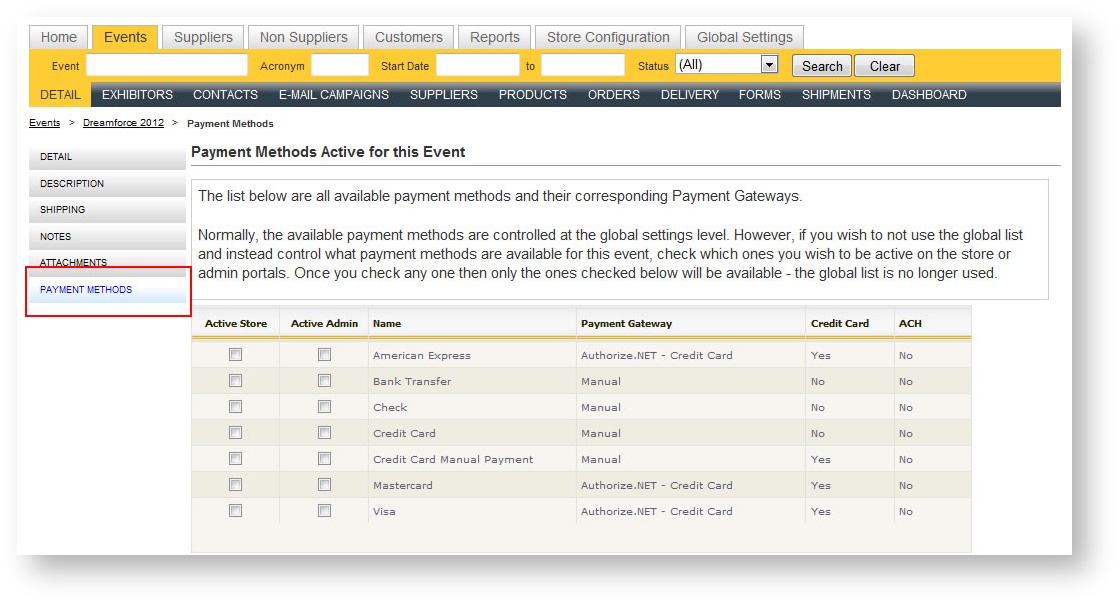
- Control which payment methods should be available on an event-by-event basis:
Orders
- Optionally determine whether the order summary print sub total details as well as the itemized taxes that may have been defined for the revenue type. In the below example, the Carpet revenue type category has been set to display each tax type in detail; the Chairs and Stools category has been set to suppress all subtotals:
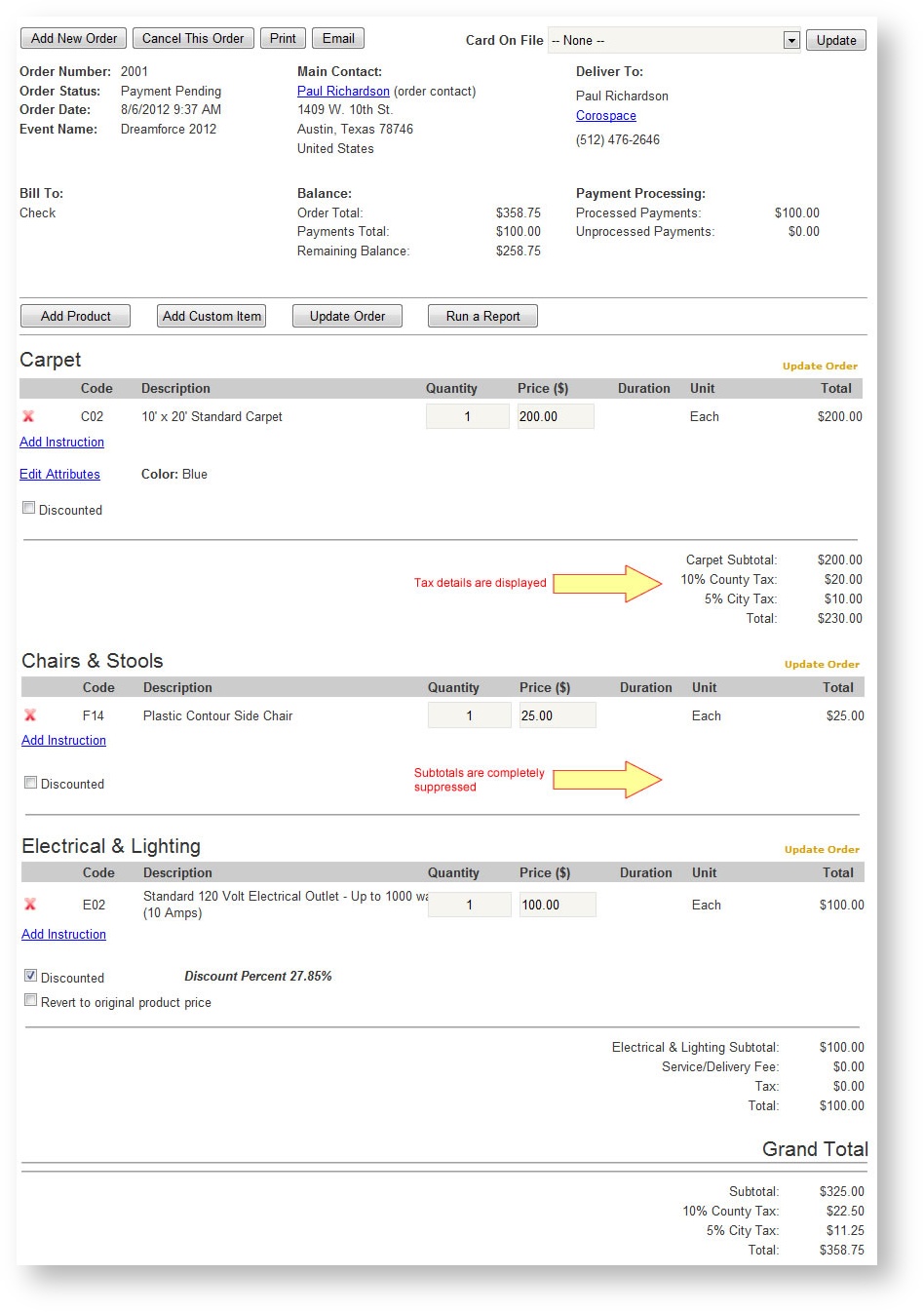
Invoices, order confirmation and customer receipts will all print this detail if you choose to set them up this way. If you are interested in taking advantage of this feature, contact Debbie Leander. - Labor schedule calculations now allow labor to be schedule within the Contractor Move In/Out dates and not just the Exhibitor Move In/Out dates.
Reports
New Reports:
- Dashboard by Date
Inspired by the Event Dashboard, the Dashboard by Date report (found under the main Reports tab for users with security rights to see it) presents revenue across events for a date range. It provides powerful analysis about your storefront usage, when people are ordering, and your most popular revenue categories. - Event Contacts Cards on File
For a given event, this report provides information on the contacts who have a card on file at the contact level as well as indicators if an order has a card on file. - Exhibitor Signs - One Per Page
Report returns exhibitor name and booth number on a single 8.5 x 14" page.
Changes to Existing Reports:
- The Event Dashboard breaks out all revenue by Exhibitor vs. Show Mgmt.
- The Event Dashboard now includes the net and gross square feet fields entered in the Event Detail form.
- The Event Dashboard was incorrectly defining the first date of the show as "Standard" and not "Show". This has been corrected.
- The Exhibitor Notes and Attachment reports now returns only notes and attachments for the selected event.
- The driver information on the Receiving Report has been made more prominent.
- Shipment Type has been made an available filter on the Shipment Weight Recap report.
- The Shipment Weight Recap includes cart loads.
- Carrier has been added as a filter to the Freight Manifest and Shipments by Carrier reports.
- New filters have been added to the Booth Check List and Delivery by Product report so you can return only item modified within a certain date range (as opposed to the whole order's modification date).
- A grand total has been added to the Product Use report.
- Storefront Analysis report has been renamed to the "Exhibitor vs. Admin Order Analysis".
- An parameter has been added to the Storefront Analysis report to optionally print grand totals.
- Storefront % has been added to the Compare Similar Events report.
- Filter the Delivery by Product report by Supplier.