This version will be deployed to customers throughout a four week period. This is to accommodate schedules and to manage the support flow of new features.
General
- The Printer icon is available once again in Internet Explorer (it had been removed via a Microsoft patch to prevent the Poodle virus).
- The issue with the multi-select drop down search fields on the Delivery grid in Internet Explorer V8 has been fixed.
- Email templates may now be sent as a PDF rather than within the body of an email. See PDF Attachments for more information.
- A new security setting controls whether a security role's users can see all events in the system or only ones they are linked to. See this help topic for more information: User Access
Events
- The Events grid has been updated to provide more information in the grid itself so the user does not have to open event to get details such as the Advanced Pricing End Date, Location and the Lock Down Date. For a full explanation of the grid contents, see the updated documentation topic: Events Grid.
- When an existing customer is associated to an event, whatever price tier they had in the event in which they were last associated will default in. Also, if the tax exempt flag was checked for the exhibitor in a prior event, it will also be checked by default in the new event.
- An individual customer's payment methods may be adjusted within an event. For instance, if you do not want a customer to be able to pay by check, you can turn off that payment method from being available to that customer only.
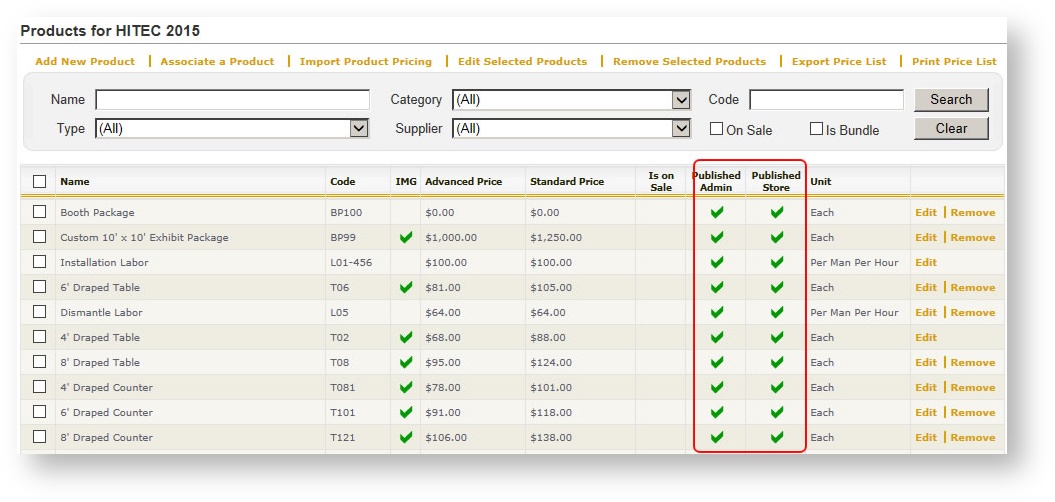
- In the Products grid under an event, new columns indicate whether products are published on the store and/or in admin:
Orders
- The Order Summary screen layout has been adjusted to accommodate the display of times if an order has been flagged as having times.
Sample of summary without times: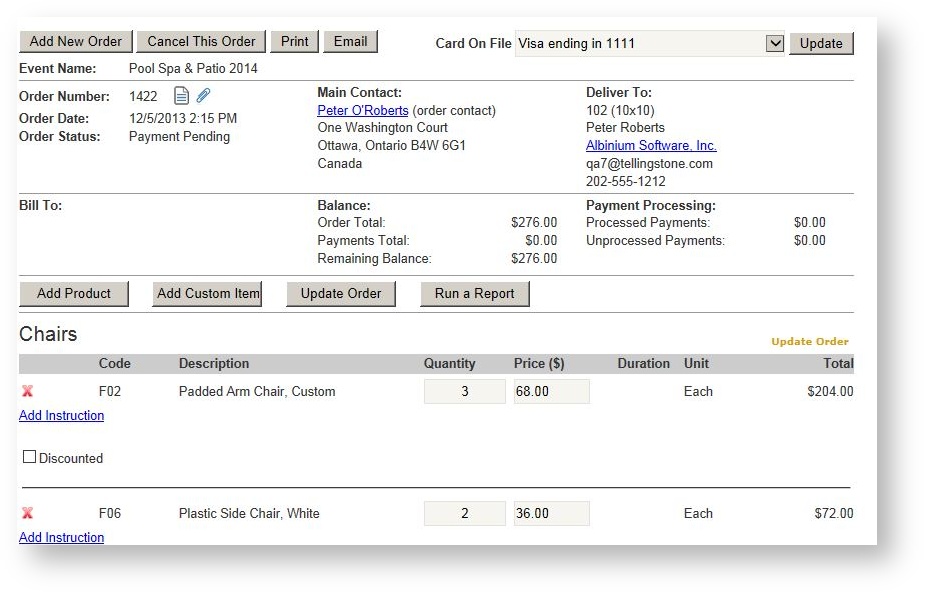
Sample of summary with times: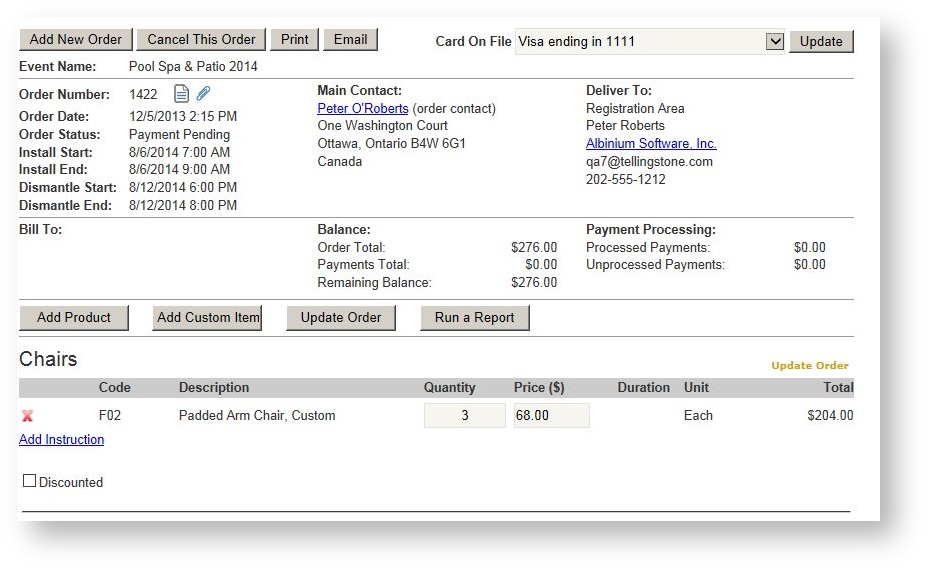
-
Copy an order has been implemented! See this help topic for details: Copy An Order.
 Customers Can Do It Too! Your customer can also copy products from a previous order by choosing "Copy Previous Order" in the upper right hand corner of the storefront.
 - When "Has Times" is checked (primarily for show management work orders) additional dates and times have been added to represent both install as well as dismantle start/end dates. The labels of these fields may be changed in your system. Contact Support if you would like your labels changed to different nomenclature.
- The correct user is logged in an order's history when payments are applied via running "Process Outstanding Balances" command.
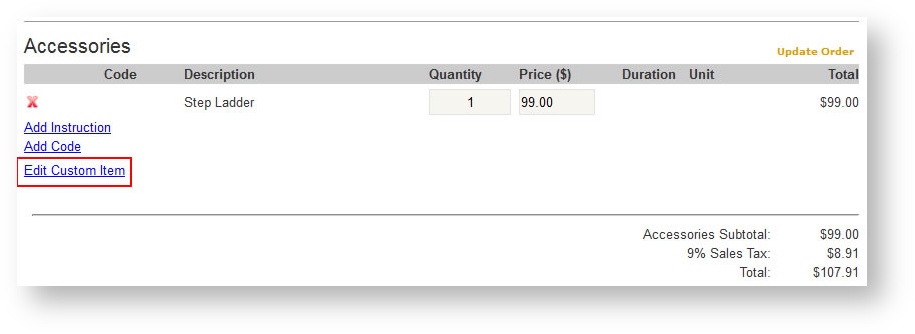
- Custom Items may be edited after adding them to an order. Click "Edit Custom Item" to access the details of the custom item:
Exhibitors/Customers & Contacts
- Multi-select exhibitors in the grid then choose to either remove or delete the selected exhibitors.
- The number or records per page in the "Booths" grid under an exhibitor has been increased from 10 to 100. This should be useful for show management customers that have a large number of locations.
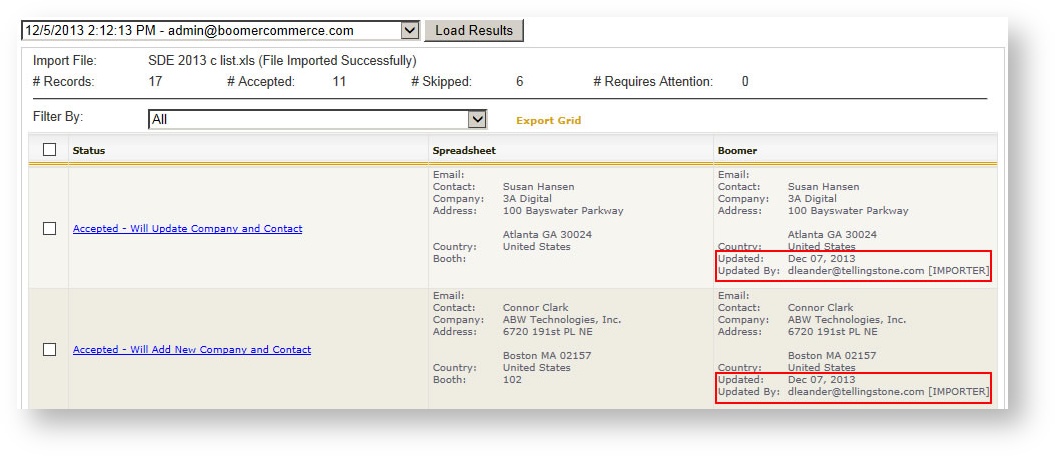
- The date last updated and the person who last updated an exhibitor appears on the import screen:
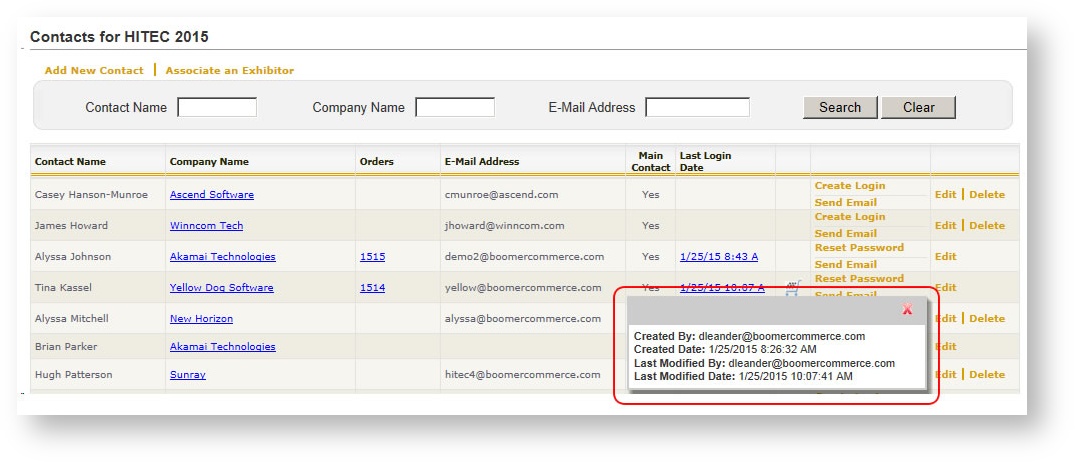
- In the Contacts grid, the "Last Login Date" is a link that pops up a dialog providing further details about a contact's login:
Shipments
- Special characters in the carrier name (such as an apostrophe) caused certain shipments to not be included in shipment reports. This has been corrected.
- If a product is not marked as Published in Admin for a specific event, it will not clutter the Product drop down when a shipment is created.
- If a contact has a card on file in an event, and a shipment is connected to a new order for that contact, that contact's card will be put on file in the order.
Reports
New reports:
- Deposits. See help topic Deposits Report for details.
Changes/enhancements to existing reports:
- Delivery Export
- has a new option to export order and item details for an event in a format user friendly for Expocad. Originally completed for Freeman Electrical, the new format is an available option in the Format parameter called Freeman Electrical.
- has a new option to export order and item details for an event in a format user friendly for Expocad. Originally completed for Freeman Electrical, the new format is an available option in the Format parameter called Freeman Electrical.
- Invoice - Show Management
- When filtered on an Order #, the grand total will reflect only totals for that order.
- Optionally print Payment details for each order (default is to not print the payment details).
- Work Order - Show Organizer
- Optionally print the history details (available in the "Sections to Print" parameter; choose "History").
- New dismantle dates/times have been added as well as some other minor format changes.
- Daily System Activity
- Performance Improvements.
- Ability to filter on a specific user.
- Ability to group all activity by event or user.
- Optionally includes new and modified shipments for the date range (for GSCs).
- Exhibitor Contact Export - Single Event
- Login information added for each contact.
- Columns re-ordered to put all order-specific columns at the end.